
Enterprise AI
An Invoicing Agent Issued a Wrong Invoice. Who Approves the Red-Letter Reversal?
Companies use invoicing agents to issue fully digitized e-invoices in China, with the algorithm matching sales orders, the contract ledger, and tax details. When an invoice is wrong and needs a red-letter reversal, the algorithm only summarizes the differences and drafts the request. Finance staff approve and submit it within their authority and pass real-person identity verification, which prevents unauthorized actions that create tax risk.
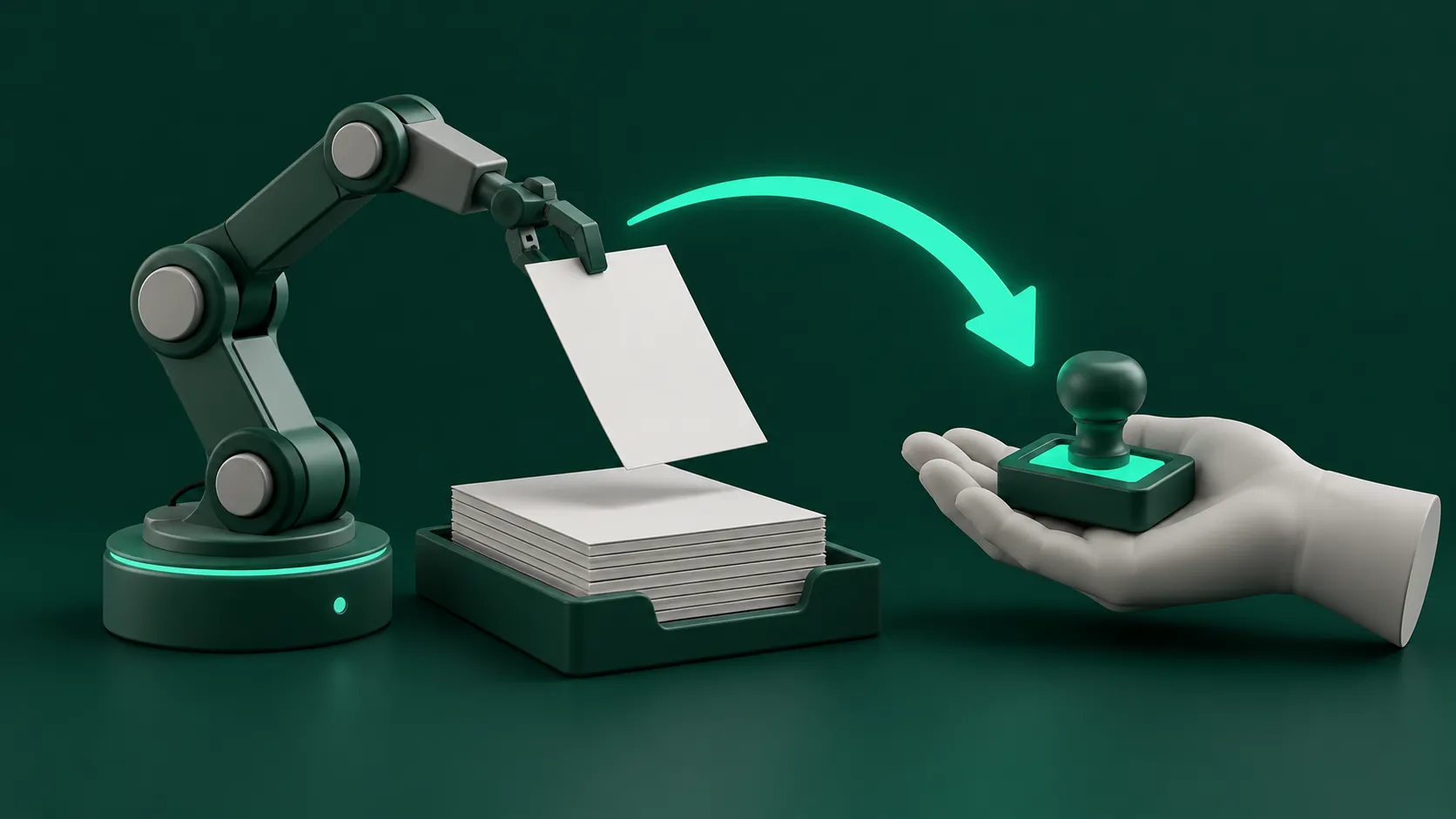
In China, a wrong invoice is never edited or deleted. The seller issues a “red-letter” invoice, a negative invoice that offsets the original “blue-letter” one, and then reissues a correct invoice if needed. Under the fully digitized e-invoice system run by the State Taxation Administration, this red-letter reversal goes through the tax platform with identity checks and, in some cases, the buyer’s confirmation.
A finance department connects an invoicing agent to the business systems. The algorithm checks contract line items, order amounts, and the customer’s invoice title, and issues fully digitized e-invoices in batches. When an invoice has the wrong item category, the wrong tax rate, or a wrong amount, the algorithm cannot bypass finance internal controls and complete a red-letter reversal on its own. The invoicing agent pulls the difference data and prepares a reversal approval form. The accountant handling it and the finance manager approve it in turn before it goes into the tax system for issuing.
Three-way match before issuing, and issuing after real-person verification
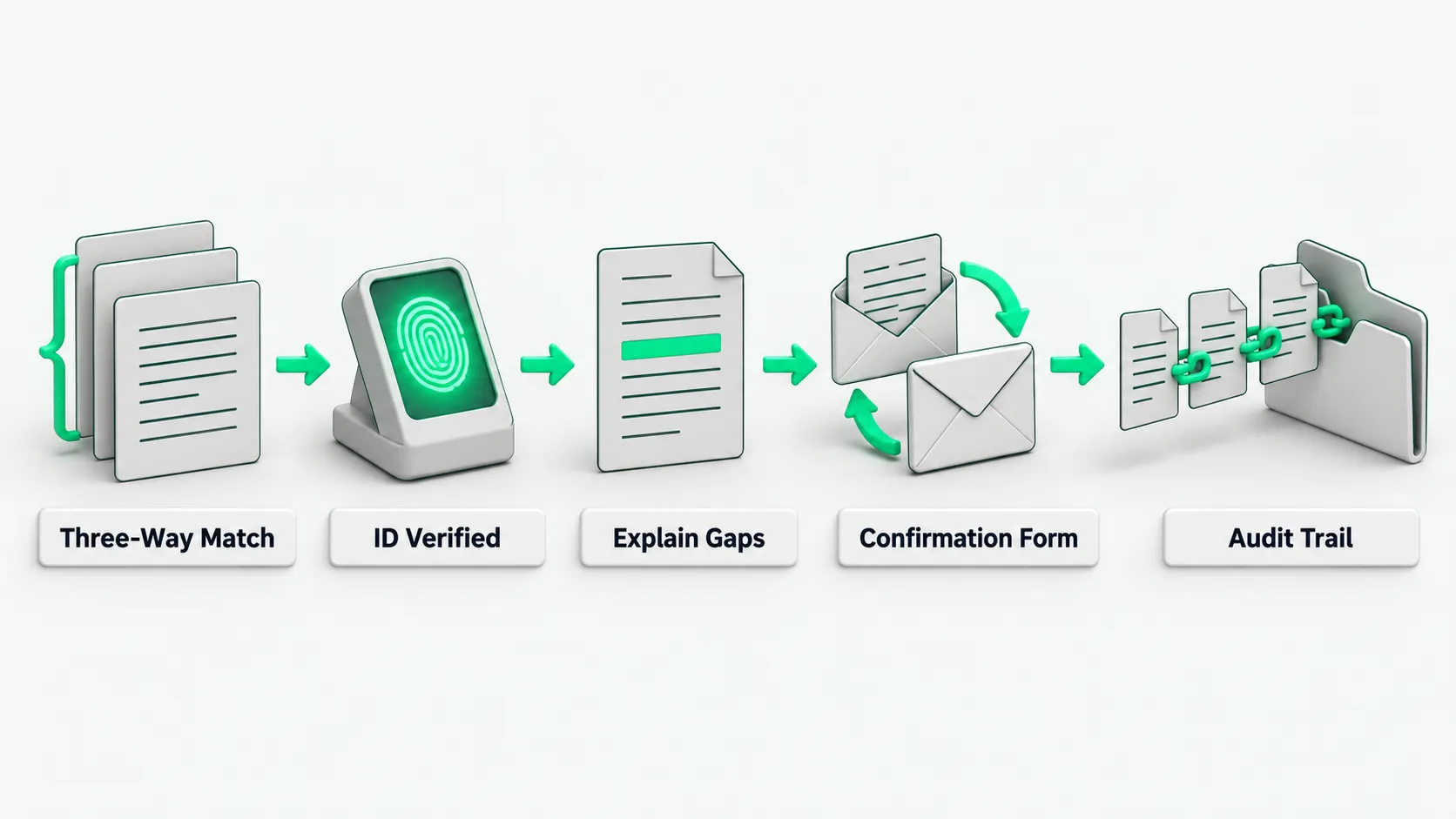
The business department submits a delivery settlement form. The invoicing agent reads the buyer’s name, taxpayer identification number, and bank account from the sales contract ledger. The algorithm checks the goods specification, quantity, and contract unit price line by line. When an amount does not match, it blocks the request and puts the ticket on hold.
For which controls cannot be skipped from reconciliation to payment, see AP Invoice Agents That Also Pay: Which Controls Can’t Be Skipped?. After the three-way match, the invoicing agent pushes the invoice request to the invoicing terminal. The tax system requires the person issuing the invoice to pass real-person identity verification. The accountant confirms the pending list is correct and then issues the invoice after passing that verification. The algorithm only compares data and drafts the filing. Tax identity verification and the final click stay with finance staff.
When an error appears, generate a difference report first, and request the reversal after finance approval
A customer receives the e-invoice and says the service item name is wrong. The invoicing agent pulls the original contract line items, compares them, and produces a draft reversal request. The algorithm lists the original blue-letter invoice number, the wrong item name and tax category, the suggested reversal amount, and the correct reissue plan, with the business department’s change note attached.
For how to roll back after an execution error, see AI Agent Rollback: How to Undo a Bad Action and Who Is Accountable. The accountant checks the original invoice against the business contract. After confirming there was an issuing error, the accountant selects the reversal reason in the finance system and submits it for manager review. Only after the finance manager signs approval in the workflow does the system let the reversal request go to the tax interface. This keeps the program from reversing a valid invoice on its own.
When the buyer has already confirmed the invoice, route a confirmation form as the tax notice requires
The customer’s finance team has already confirmed the use of this blue-letter invoice in its tax digital account. The invoicing agent cannot reverse it unilaterally. The system calls the interface to check the invoice’s status on the tax side and shows that the invoice is already in the recipient’s confirmation process.
The State Taxation Administration’s notice on the rollout of fully digitized e-invoices (Chinese) sets these rules. Issuing a fully digitized e-invoice requires identity verification such as real-person verification. After a blue-letter invoice is issued, a red-letter invoice is issued as required for sales returns, issuing errors, suspension of taxable services, sales allowances, and similar cases. If the recipient has not confirmed the use of the blue-letter invoice or recorded it in its books, the issuer starts the reversal process and issues the red-letter invoice directly. If the recipient has confirmed its use or recorded it, either the issuer or the recipient can start the reversal process. The issuer then issues the red-letter invoice after the other side confirms a Red-Letter Invoice Information Confirmation Form (the confirmation form). A confirmation form not confirmed within 72 hours of being started is voided automatically. If the recipient has already used the invoice to claim input VAT credit, it must reverse the input VAT for now in the amount listed on the confirmation form.
Finance staff generate the confirmation form in the system as the notice requires and send it to the customer. The invoicing agent monitors the form’s progress. If the customer does not confirm within 72 hours and the form lapses, the system sends an alert to the accountant, and the salesperson contacts the customer’s finance team before the form is started again. After the other side confirms, the accountant passes real-person verification again, and the system issues the red-letter invoice.
Archive the original, the reversal, and the reissue together and review the cause
After the accountant completes the reversal in the tax system, the invoicing agent links the original blue-letter invoice number, the red-letter confirmation form number, and the new reissued invoice number in the ledger. The system locks the cross-references between the three documents and creates a draft accounting voucher in the finance software.
The finance manager pulls this period’s reversal ledger and traces the root cause of each error the invoicing agent made. If the customer’s taxpayer identification number was not updated in the contract library, the administrator locks that field in the customer master data and asks sales to upload the business license again. If the mapping between goods tax categories and tax rates was ambiguous, the tax specialist adjusts the algorithm’s product code mapping table so later batches do not repeat the error.
Invoicing agents: FAQ
Why not let the invoicing agent complete the whole reversal automatically?
A reversal directly reduces the company’s output VAT for the period, and it touches VAT filing and invoice authenticity. Full automation can lead to improper reversals when data capture goes wrong. The notice requires identity verification such as real-person verification for issuing fully digitized e-invoices, and that step already falls on the person issuing the invoice.
The customer asks for a return and refund. How does the reversal work?
The business department enters a returns receipt in the supply chain system. After the returned goods pass inspection and go into stock, the invoicing agent compares the returned quantity with the original outbound record and produces a partial reversal request. The accountant checks the returns receipt against the original invoice, starts the red-letter process in the tax system, and issues a red-letter invoice for the returned amount.
The other side does not confirm, so the red-letter invoice cannot be issued. What now?
If the recipient does not confirm within 72 hours after the confirmation form is started, the form is voided automatically in the tax system, and the red-letter invoice cannot be issued. The staff handling it contact the other side’s finance team to check the details and the reason for voiding. Once both sides agree, the issuer starts a new confirmation form.