
Enterprise AI
A Distributor Disputes the Rebate Agent's Numbers. What Now?
When brands and manufacturers use a channel rebate agent for distributor rebate reconciliation, they first lock the contract version, sales basis, return offsets, and payout history in one shared workpaper, then trace each disputed item to its source. Changes to amounts, payout releases, and outgoing statements all need approval from sales and finance.

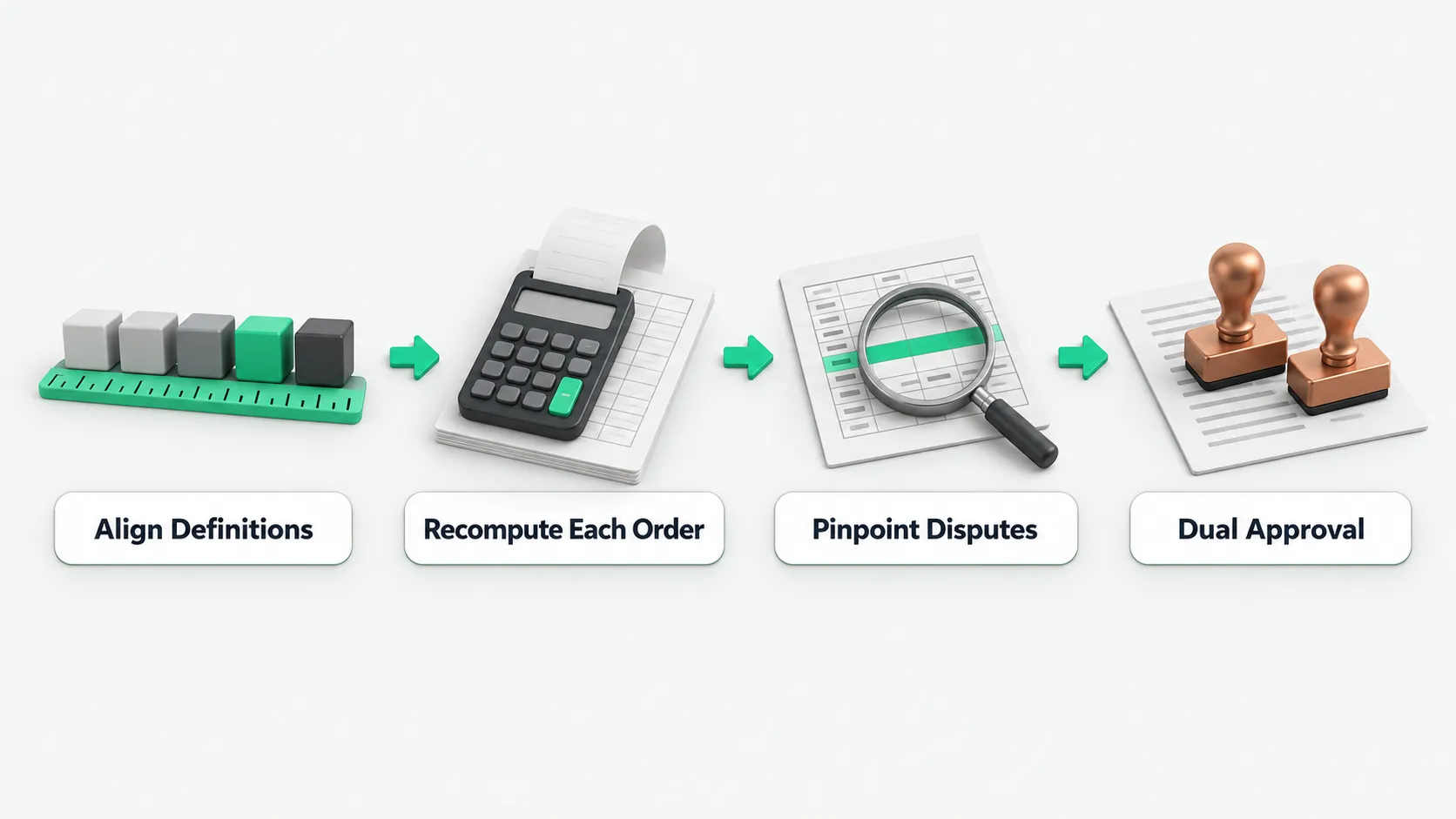
When a distributor rejects the numbers a channel rebate agent calculated, do not change the numbers first. Have the tool match this distributor’s rebate workpaper for the period against the differences the distributor raised, item by item, and mark which definition each gap comes from. If our data is wrong, finance corrects the amount and keeps an adjustment record. If the two sides read a clause differently, the channel manager and the distributor confirm it against the contract and sign a supplementary note if needed. Special approvals and verbal promises get a formal approval document first, and then the rebate is recalculated. The final rebate statement goes out after sales and finance confirm it. Both sides sign the adjusted reconciliation result.
Where the differences usually come from
When the two sides run quarterly or annual rebate reconciliation and the numbers do not match, the cause is usually that the definitions are spread across five places. Different departments calculate from their own spreadsheets and habits, and the gaps show up at closing:
- Contract version: the annual contract, supplementary agreements, special approvals, and email promises all exist at once. The two sides calculate from different versions.
- Sales basis: whether volume counts by shipment, receipt, or payment, and whether the base includes tax. The contract and day-to-day practice are not aligned.
- Return offsets: goods that pushed last period’s volume over a tier come back as a full return this period. Whether last period’s rebate is clawed back, and which period the offset belongs to, are calculated differently.
- Settlement entity: several legal entities in one group take goods. Whether volume counts toward the contracting entity or the receiving entity was never settled in advance.
- Payout records: the rebate is paid as a credit against the next purchase, in cash, or in goods. Duplicate and missed payouts often hide here.
How far the rebate workpaper must be recomputable
Each distributor needs a recomputable rebate workpaper for each period. It records the contract version, the calculation base, the sales facts (shipping documents, return documents, payment records), the return offsets (return date, the period the offset belongs to, the tier before and after recalculation), and the payout records (method, amount, voucher number, matching). The rebate amount can be configured to come from fixed rules. The channel rebate agent explains differences, fills in evidence, and organizes confirmation of exceptions.
The check runs in a fixed order:
- Lock the distributor, the settlement entity, and the period.
- Pull the contract version in force for the period and the approval documents for any special approvals.
- Pull sales volume on the basis the contract defines.
- Offset returns to the period they belong to. For a cross-period return, go back and recalculate last period’s tier.
- Apply the contract terms to calculate the rebate, and record the formula version and the documents used.
- Compare with payouts already made. This step can be configured to block duplicate and missed payouts.
- Explain each difference. Definition conflicts and special approvals go into the exception confirmation queue.
Every intermediate result is kept: which tier was reached, how much short of the next tier, and which documents went into the total. When a distributor questions the result, both sides look at the same workpaper. Nobody has to re-export the data.
How to work through a distributor’s dispute item by item
When a distributor disputes the rebate reconciliation result, check four things first: the contract version, the sales basis, the period each return offset belongs to, and the payout history. Most disputes come from different definitions in these four areas. The channel rebate agent can be configured to put differences into the exception confirmation queue and sort them by rule:
- Cross-period return recalculation: goods bought last period and returned this period are handled by recalculating last period’s tier under the rules. The resulting difference sits as a separate line in the workpaper.
- Entity and basis alignment: when the contracting entity and the receiving entity differ, volume is always grouped under the contract entity. When the contract says payment basis but practice has been shipment basis, the contract wins. The difference is listed and sent to sales for confirmation.
- Special approvals and chat promises: a sales rep’s verbal or chat promise is only a lead to verify. The formal calculation must rest on a versioned contract term. A special approval with no term in the system needs an approval document and confirmation from both sales and finance before it enters the system.
Once the process runs smoothly, the team can track numbers such as the dispute count and the share of statements that reconcile on the first pass. For which metrics to watch, see How to Measure AI Agent Value After Rollout: 4 Metrics Beyond Usage.
Who approves changes, payouts, and outgoing statements
Confirming a rebate amount, releasing a purchase credit, and sending a statement to the distributor all move money. Sales and finance approve them under the company’s authority matrix. The workpaper and difference notes the agent prepares are inputs to the approval. They do not replace human approval, and the software must not be configured to post automatic top-ups or clawbacks.
Payouts and purchase credits are cash control points, the same as ordinary payments. For which approval and matching steps cannot be skipped, see AP Invoice Agents That Also Pay: Which Controls Can’t Be Skipped?. The agent can draft messages to the distributor, and they go out after sales confirms them. If our data turns out to be wrong, finance corrects the amount and keeps an adjustment record. For credits against purchases, set up the matching link at the same time to prevent duplicate payment. Both sides sign the adjusted statement before it is filed.
Channel rebate agents: FAQ
Several legal entities in a distributor’s group take goods. Whose volume is it?
Group it under the entity named in the contract in force. When the contracting entity and the actual receiving entity differ, the workpaper totals volume under the settlement entity the contract names. If volume from a related entity outside the contract really must be included, first sign a supplementary agreement or complete an approval document, and have sales and finance confirm it before it enters the system.
Goods that pushed last period over a volume tier come back this period. How is the rebate deducted?
Offset the return to the period it belongs to. For a cross-period return, go back and recalculate last period’s tier under the rules. Record the return date, the period the offset belongs to, and the tier before and after recalculation in the workpaper, and carry the difference as a separate line. If last period’s estimated rebate has not been paid, issue the settlement on the recalculated amount. If last period’s rebate was already credited against purchases, move the difference to next period’s matching, and attach the shipping and return document details to the workpaper.
During rebate reconciliation, the distributor shows a sales rep’s chat promise. Does it count?
It cannot be used in the calculation directly. A chat promise a distributor presents during rebate reconciliation is only a lead to verify. The formal rebate calculation must rest on a versioned contract term or on a special approval with an approval record behind it. A special approval with no term in the system needs a complete approval document and confirmation from both sales and finance before it enters the system and is used in a recalculation.