
Enterprise AI
AI Plans Picking Waves: Which Numbers Should Supervisors Watch?
When a warehouse uses picking AI to batch orders and assign pick paths, floor management cannot rely on the algorithm's theoretical score. Supervisors should focus on actual results they can check on the spot: orders not shipped before cutoff, picker waiting and walking, stockout rework, and backlog at packing stations. Then they step in to find the bottleneck.
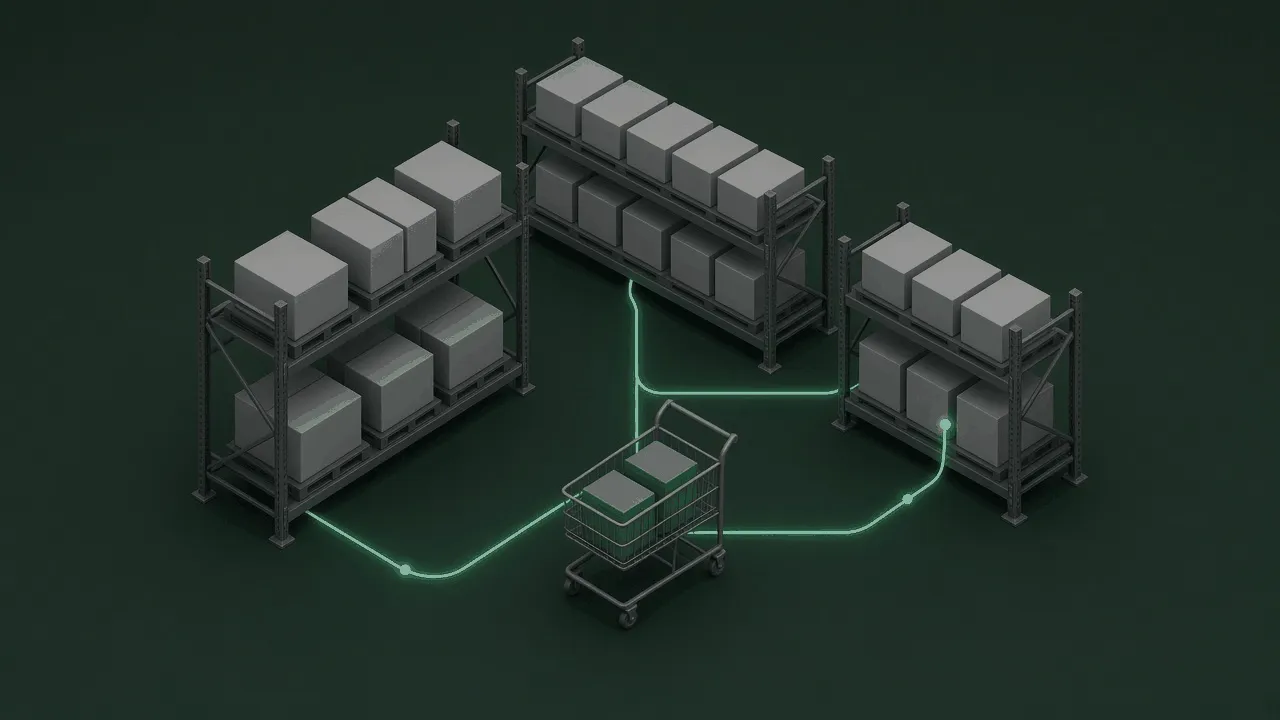
Warehouse picking AI groups orders into waves and plans pick paths. Floor supervisors cannot watch only the theoretical optimization rate on the algorithm dashboard. However good the calculated path looks, if goods are stuck at the packing station, the warehouse still ships late. Supervisors should look at actual results they can check on the floor: orders not shipped on time, walking and waiting time, how often stockouts force re-picks, and aisle congestion. Real work metrics set the pace on the floor.
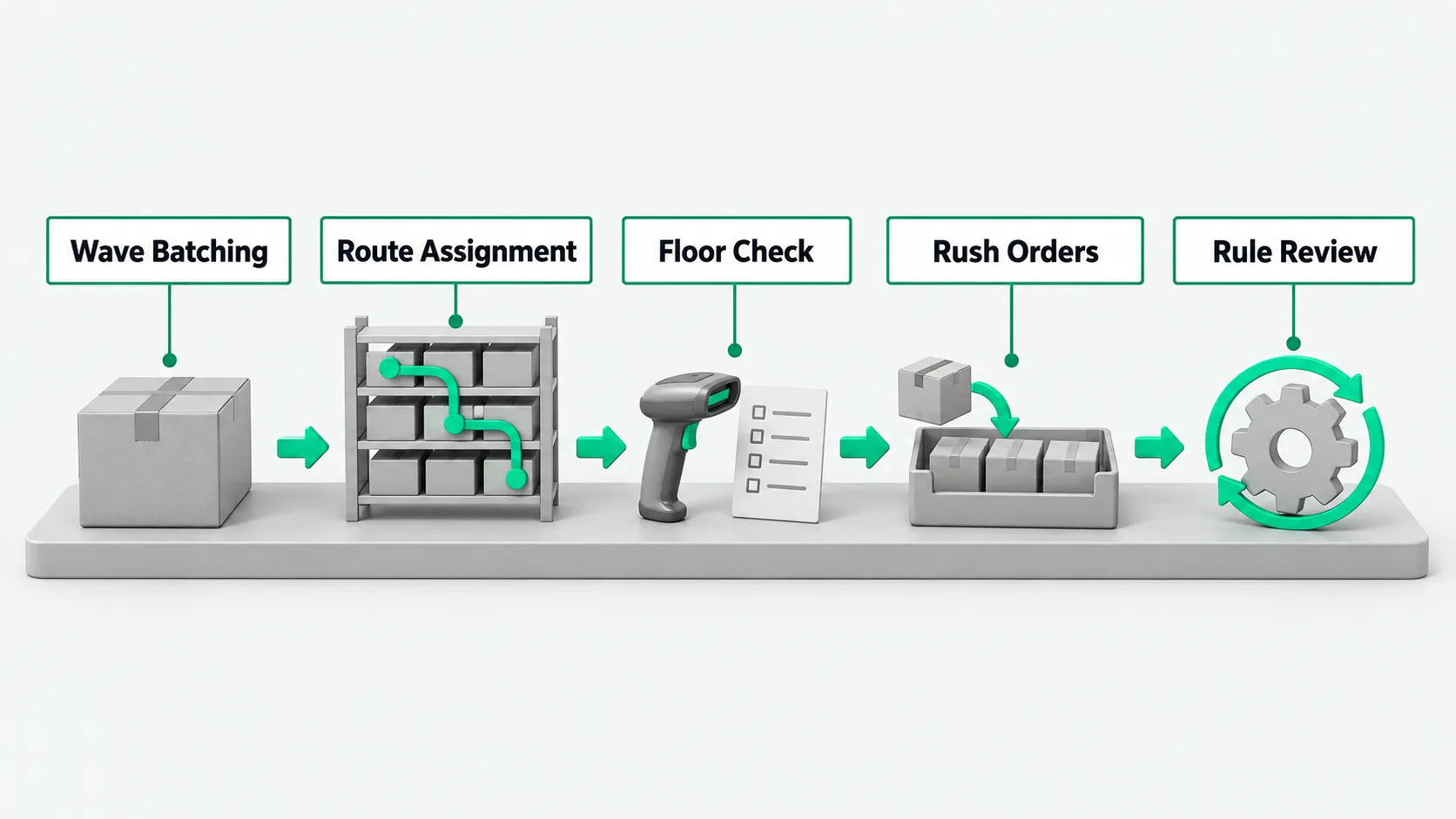
Group orders into waves: batch tasks by category and zone
The program pulls the pool of new orders from the warehouse management system. The system reads each order’s promised ship time, storage location, and packing spec, and groups orders with the same destination or nearby storage zones into one batch. Special orders such as cold chain or oversized items are split out into separate groups automatically.
The system generates draft waves by preset rules and reserves inventory. In the background, the program calculates the total item count for each wave, so it does not exceed the picking cart’s capacity. If some best-sellers are short on stock, the program puts those orders on hold and releases waves built from orders with enough stock first.
The planning dispatcher sets the order cutoff points and the wave batching thresholds. The dispatcher adjusts the batching time window in the back end to match the truck schedule. When a sudden flood of bulk orders arrives, the dispatcher adjusts batches by hand, so one order does not fill a whole aisle.
Plan paths and assign tasks: set the pick sequence for each picker
Once a wave is set, the program plans the pick path. Using the shelf layout and travel direction, the system breaks the wave into a sequence of location visits that takes pickers through the shelves on a shorter route. The plan goes to each picker’s handheld terminal, which lists location numbers and pick quantities in order.
The handheld receives the task and guides the work. The picker pushes the cart to the location and scans the location and product barcodes. After the system confirms a match, it prompts the picker to confirm, and the picker puts the item in the tote. When a location is empty or the product is damaged, the picker reports it on the handheld, and the system skips it and recalculates the path for the remaining locations.
The floor team leader checks whether path assignments are balanced. The team leader watches staff distribution across zones on the dashboard. If the algorithm sends several pickers into the same aisle at once and causes a jam, the team leader splits the tasks by hand in the back end and assigns them to idle staff in a neighboring zone.
Watch actual results on the floor: which numbers a supervisor checks
When a supervisor walks the warehouse, the main job is to check how far the system’s recommendations diverge from the work on the floor. Many supervisors get pulled along by theoretical figures and miss the real bottlenecks of workers and carts. For how to evaluate a system with outcome metrics instead of theoretical ones, see How to Measure AI Agent Value After Rollout: 4 Metrics Beyond Usage.
On the floor, the supervisor first watches the number of urgent orders not yet shipped as cutoff approaches. If the wave plan pushes nearly expired orders to the back, or mixes urgent orders into large, long-running waves, shipping is delayed directly. The supervisor filters the dashboard for orders close to cutoff and raises the priority as soon as one lags.
The supervisor also counts picker waiting time on the floor and the number of totes backed up at packing stations. If pickers often stop and wait for the system to refresh tasks, the order logic is stalling. If packing stations are piled high while the pick zone keeps sending goods, upstream and downstream steps are out of rhythm.
Step in on stockouts and rush orders: manual changes and order insertion on the floor
When a rush order comes in, the supervisor uses the manual order insertion feature in the back end. The system lets the supervisor force a high-priority order into a wave already running, or create a separate rush task and push it to a specific employee’s handheld. The program pauses that employee’s regular tasks and replans the route for the rush pick.
When choosing scenarios and drawing the automation boundary, whether results can be checked on the spot matters most. For that selection logic, see Choosing Enterprise AI Use Cases: Start With Work You Can Verify on the Spot. When a picker finds an actual stockout, they log it on the terminal, and the system marks the missing item for replenishment or removes the order from the current wave.
The floor supervisor checks the cause of the stockout and signs off. The supervisor checks whether the system’s book inventory was inflated or the physical item was put in the wrong location. After confirming the item is physically missing, the supervisor approves the pick list change in the system and sends an urgent putaway task to the replenishment team. After a manual change, the system recalculates the wave’s packing list, so packing does not stop.
Review runs and calibrate rules: tune the wave planning parameters
After the shift, the supervisor and the system administrator review the order records together. The review compares mis-pick rework batches, the number of manual insertions, and staff waiting time. The system exports a report of actual versus estimated run time for every wave of the day and flags waves with large deviations.
The administrator changes the algorithm’s base configuration from floor feedback. If packing stations often jam, the administrator lowers the order capacity threshold per wave and widens the release interval between waves. If pickers in distant zones walk too many empty trips, the administrator adds a zone affinity weight in the rules, so items in one wave sit on nearby shelves as much as possible.
The warehouse operations team holds parameter calibration meetings on a regular schedule. The team reviews the size, weight, and outbound pattern of new categories and updates location velocity tags, so the system’s order logic matches conditions on the floor.
Warehouse picking AI: FAQ
Why doesn’t the theoretical picking efficiency score on the warehouse picking AI screen represent actual output on the floor?
The theoretical score on the algorithm screen is usually calculated for ideal conditions. It assumes clear aisles, intact barcodes, and book inventory that matches the shelves. Floor work often runs into real obstacles: giving way to forklifts, replacing damaged outer packaging, blurry barcodes, and packing station backlogs that leave totes nowhere to go. These do not show up in the theoretical model. Supervisors need to look at how work actually flows between steps and what actually ships.
During a big promotion or a pile-up of rush orders, when warehouse picking AI cannot keep up, how do people take over?
When the system lags or tasks pile up, the supervisor should switch the dispatch screen to emergency fallback mode. The system pauses detailed path planning and switches to coarse wave batching by fixed zone, or turns on a preset template that splits work by item count. Dispatchers take over task assignment by hand, assign dedicated people to dedicated zones, and handle rush and oversized items separately, so floor work does not stop.
In daily warehouse operations, who should maintain the base rules and constraints for wave planning?
The warehouse operations department and the system architect jointly maintain the base rules for wave planning. Warehouse picking AI finds results within the given rules and must not change work constraints on its own. Items such as each zone’s capacity limit, the cutoff countdown standard, and rules for mixing fast and slow movers have to be approved by operations supervisors who know the floor in detail before they go into the system. The administrator checks the rule configuration on a regular schedule, so the order logic matches what the floor can actually do.