
Enterprise AI
Agent Evaluation: How Many Runs per Task Are Enough?
Agent evaluation repeats fixed real business tasks, reports pass rate, cost per run, latency and variation, and lists failures. One run cannot justify launch.

Before launching an agent, evaluate it on a fixed set of real business tasks. Run each task several times. Report pass rate, cost per run, latency and variation. Then write a failure list of what the agent still cannot do. A single run cannot support a launch decision.
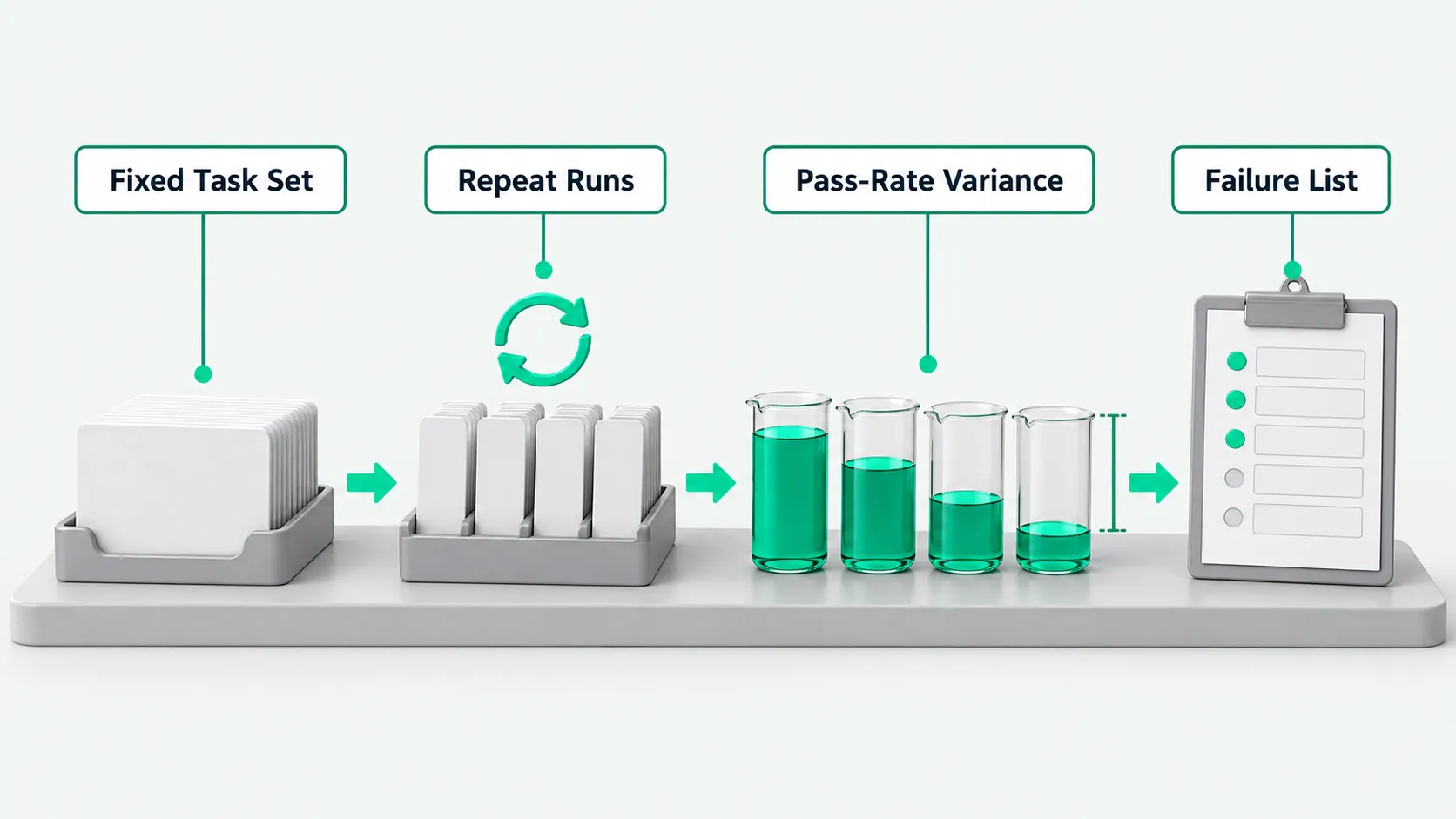
Choosing the task set: use real business tasks with clear acceptance criteria
Evaluation tasks should come from the company’s real business processes. Each task needs clear completion criteria.
The task set should draw on the real tickets, reports and customer requests that business staff handle each day. It should cover routine workflows and edge cases that are easy to misjudge. For order reconciliation, include complete standard documents and documents with missing fields or unusual formats. Check whether the system correctly recognizes exceptions and stops.
The University of Michigan’s Fall 2026 course EECS 498-016, “Applied Agentic Software Engineering,” is taught by Marcus Darden. The syllabus says an agent evaluation suite must contain at least 8 tasks and report pass rates. A set of 8 tasks is a suitable starting point. We recommend adding more to cover the business areas involved. For test data preparation, see Agent Test Environment: Use Synthetic Data Before Connecting a CRM?.
The syllabus says the course requires students to use small models they deploy themselves because small models clearly expose poor engineering. Our interpretation is that large models can often infer the meaning of vague instructions. Small models are more likely to fail outright on ambiguity or format errors. Running an enterprise evaluation once with a smaller model can reveal problems in prompts and tool definitions early.
Runs per task: repeat the same task and observe variation
When the same model handles the same business task several times, its execution paths and outputs are not identical across runs.
Large models generate output with some randomness. One successful run may have bypassed an ambiguity by chance. A later retry may get stuck at the same point. If a team declares the agent ready after one successful run, routine business work can stop unexpectedly after launch.
The syllabus says each task must run at least 3 times, with results reported as pass rates. A reply to the tweet introducing the course shared a practitioner’s experience: with only 3 runs per task, one timeout drops the pass rate by 33%. The reply recommended at least 10 runs and observing variance.
We recommend that enterprise evaluations increase the number of test runs for core tasks to at least 10. Repeated runs can filter out occasional fluctuations and reveal the model’s tendency to behave inconsistently under specific prompts. Teams should examine differences in execution across runs of the same task, alongside the overall score.
Four numbers to report in agent evaluation: pass rate, cost per run, latency and variation
When accepting an evaluation suite, the team needs to compile four objective metrics: pass rate, cost per run, latency and variation.
The syllabus explicitly lists task sets, pass rate, cost and latency among its evaluation topics.
The first metric is pass rate: the proportion of runs in which each task completes successfully. Business rules or validation scripts must determine whether the task is complete. The model cannot assess this itself.
The second metric is cost per run. We recommend including retries and failed runs in this cost. In automated work, agents often retry after errors and consume tokens. Allocating the cost of failed retries to the task makes the budget realistic.
The third metric is end-to-end latency. Record the full time from the task trigger through tool interactions to final closure.
The fourth metric is variation. Differences in time, resource consumption and results across runs reflect the stability of the process. If some runs of the same task take a few seconds while others reach the timeout limit, the decision logic carries a risk of divergent paths.
Failure list: state what the agent still cannot do
Acceptance deliverables also need a clear failure list that details the specific things the system cannot currently do.
The syllabus says students submit a breakdown report at the end of the Analyze phase. It must state what the agent still cannot do. Grades depend on the quality of the failures found.
In enterprise deployments, many failures occur in edge cases. For example, a tool call returns an error when the text of a customer quote request contains an uncommon unit of measure. In a comparison of multiple tables, the model omits data at the end when the row count exceeds the preset window. Listing these known issues lets business staff see which edge cases the system cannot handle independently.
When accepting internal work or a vendor’s solution, we recommend requiring this list of what the system cannot do. Set up points for human intervention at those boundaries in advance.
The roles of pre-launch tests and post-launch metrics
The pre-launch evaluation suite establishes a capability baseline and acceptance thresholds. After launch, the focus shifts to tracking business value over time.
Pre-launch agent evaluation focuses on consistent performance under fixed inputs: whether tasks are completed correctly, whether repeated runs are stable, and the cost and time per run. The test baseline established at this stage is the control group for every later revision.
Once the system is deployed to production, the focus shifts to end-to-end business value. For specific methods to evaluate ticket closure rates and costs and returns after agent launch, see How to Measure AI Agent Value After Rollout: 4 Metrics Beyond Usage.
When choosing the first use cases to deploy, start with tasks whose results can be verified on the spot. See Choosing Enterprise AI Use Cases: Start With Work You Can Verify on the Spot. Results in these use cases are easy to compare. This makes pre-launch evaluation sets easier to build and post-launch automated acceptance checks easier to run.
Agent evaluation: FAQ
Why do smaller, less capable models expose engineering problems more easily during evaluation?
Small models are more sensitive to ambiguous prompt wording, formatting errors in tool arguments and the surrounding context. Large models can often use stronger reasoning to fill gaps in incomplete instructions or infer missing fields. This can hide underlying engineering flaws. If the system runs reliably on a small model through precise tool definitions, input checks and clear stop conditions, the engineering layer is sound. This is our judgment. The syllabus only states its reason for using small models.
Why can unexpected failures still occur in production after the entire evaluation suite passes?
The evaluation suite runs on a controlled, known dataset. It covers common paths and edge cases the team has already identified. In production, external system API changes, unexpected nonstandard formats in customer input and network fluctuations can all produce abnormal inputs outside the test set. The evaluation suite therefore sets the entry threshold for acceptance. Production still needs log audits, quota limits and human review alongside it.
Why look at pass-rate variance when building an agent evaluation system?
Looking only at average pass rate can hide instability when building an agent evaluation system. For example, two tasks may have the same average pass rate. One consistently completes most steps in every test run. The other gets full marks on some runs and fails completely on others because a tool enters an infinite loop. Their pass-rate variances differ greatly. Pass-rate variance quantifies the spread across repeated executions. High variance usually indicates intermittent defects in the current prompt or retry logic. Including pass-rate variance in the statistics helps teams find these unreliable branches before launch.