
AI Coding
How to Write AGENTS.md So Codex Follows It
Codex loads AGENTS.md rules at session start, merged from the global folder down to the working folder. Write checkable commands; move long steps to skills.

AGENTS.md is the instruction file Codex reads before it starts work. It holds only the Codex project rules specific to this repository that every session must follow: which test command to run, which directories not to touch, which checks to run before a commit, and that a new production dependency needs confirmation first. Write one rule per line, as an action someone can check. Repository-wide rules go in the root directory. Module-specific rules go in subdirectories. Long procedures used only for certain tasks become skills. After writing the file, open the target directory and ask Codex to summarize its instructions to confirm the rules took effect.
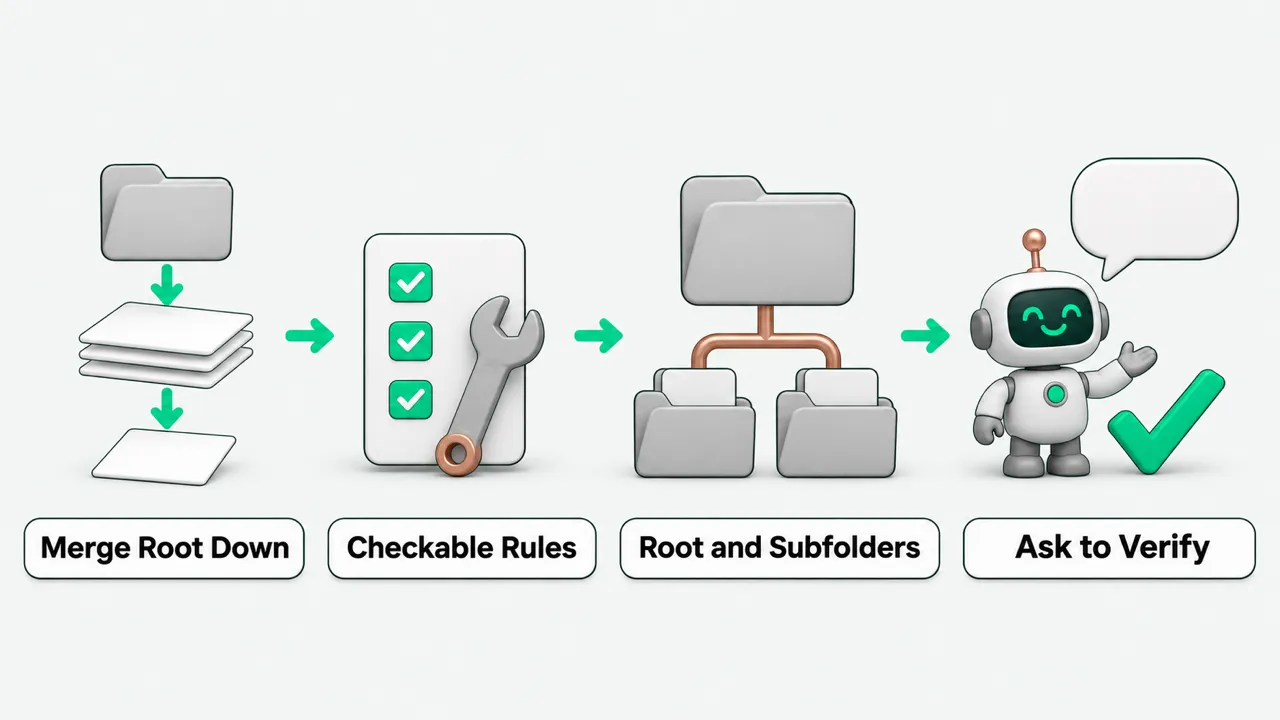
The order in which Codex reads AGENTS.md
Codex reads AGENTS.md before it starts work. It builds the instruction chain once per run. In the terminal UI this usually means once per session start. Reading starts at the global layer. Codex looks in the Codex home directory (default ~/.codex). If AGENTS.override.md exists, it reads that file. If not, it reads AGENTS.md. The global layer uses only the first non-empty file. If the team uses several coding tools, see Claude Code or Codex: Which Tool Gets Which Task for which rule files each tool reads and how to split the work.
After the global layer comes the project layer. Codex walks from the project root (usually the Git root) down to the current working directory. At each level it looks for AGENTS.override.md, then AGENTS.md, then any fallback file names set in the config. It takes at most one file per directory and skips empty files.
The matched files are concatenated from the root down. Files closer to the current directory come later and override earlier rules. Codex stops adding files once the merged size reaches the project_doc_max_bytes limit (default 32 KiB). If the rules exceed it, raise the limit in the config or split rules into subdirectories.
How to write Codex project rules that Codex follows
A line like “code should be elegant” cannot be checked, and it uses up file size. When writing Codex project rules, keep only the actions specific to this repository that apply to every code change. One rule per line:
- Run tests after editing files: state which test command to run after changing a given type of source or config file, so every change has a verification step.
- Package manager and dependency approval: state which package manager to use for installs, and that Codex must stop and ask the maintainer before adding a production dependency.
- Off-limits directories and pre-commit checks: list the build output or core config directories that must not be changed, and the checks to run before a commit.
- Code review rules: in the AGENTS.md closest to the business code, add a short code review section that names the behaviors to flag and the safe practices or exceptions. Leave formatting and code style checks to continuous integration.
Splitting rules across the root, subdirectories, and skills
Modules in one Git repository often run tests differently. Put the repository-wide package manager convention and the basic commit checks in the root AGENTS.md. If a subdirectory has its own rules, such as a dedicated test command or separate review requirements, put a file in that subdirectory, or use AGENTS.override.md there to override the upper-level conventions. This keeps every module’s details out of the root file, where they would hit the default 32 KiB limit.
Also separate the Codex project rules read at every session start from long procedures. AGENTS.md is loaded into the instruction chain at each session start. Long instructions used only for certain tasks do not belong in AGENTS.md. Make them separate skills that load on demand. For installing and invoking skills, see Codex Skills: How to Install Them and How to Call Them.
How to verify the rules took effect
After committing the rule files, do not wait for a bad code change to find out. Ask Codex in a session to check the read order and the override behavior. The maintainer starts Codex in the repository root and asks it to summarize all instructions it received. Check that it repeats the rules from the global home directory file and the project root file, in top-down order.
Then switch to a subdirectory that has module rules or an AGENTS.override.md, start a new session, and ask the same question. Check that the subdirectory’s dedicated test command or review requirements come later and override the upper-level conventions. If the summarized rules look out of date, follow the official instructions: exit and restart Codex in the target directory. The instruction chain is rebuilt at startup.
AGENTS.md: FAQ
I changed AGENTS.md in the repository. Why does the current session not follow the new rules?
In the terminal UI, the instruction chain is built at startup. After saving the change, follow the official instructions: exit the current session, restart Codex in the target working directory, and ask it to summarize its current instructions again to confirm.
If one directory has both AGENTS.override.md and AGENTS.md, does Codex read both?
No. In the global home directory and at each project level, Codex takes at most one non-empty file per directory. It looks for AGENTS.override.md first and reads AGENTS.md only if there is none. Add an override file only when you need to override the default rules at the same level. Otherwise maintain one non-empty file.
Should a Codex project rule go in AGENTS.md or in a skill?
Rules Codex must follow at every session go in AGENTS.md, such as the default package manager, off-limits directories, and the test command to run after editing files. Long procedures used only for certain tasks become skills that load on demand. Keep the two roles separate, and do not write the same rule in both places.