
AI Coding
Codex Skill Descriptions: How to Write Them So They Trigger
A Codex skill triggers implicitly from the name and description in SKILL.md. Lead with what it does and when, test with prompts, or turn implicit use off.

When you write a Codex skill, whether it triggers on its own in a conversation depends on the name and description at the top of SKILL.md. Codex reads the body only after it selects the skill. In the description, first state what the skill does and when to use it, and put the key trigger words at the very front. If the skill tends to trigger by mistake, add one sentence of exclusion. Then run two sets of test prompts, one that should trigger and one that should not. For a skill you only plan to call by name, turn off implicit invocation in agents/openai.yaml. Another note on this site covers installing and calling skills. This note covers only how to write and test the description.
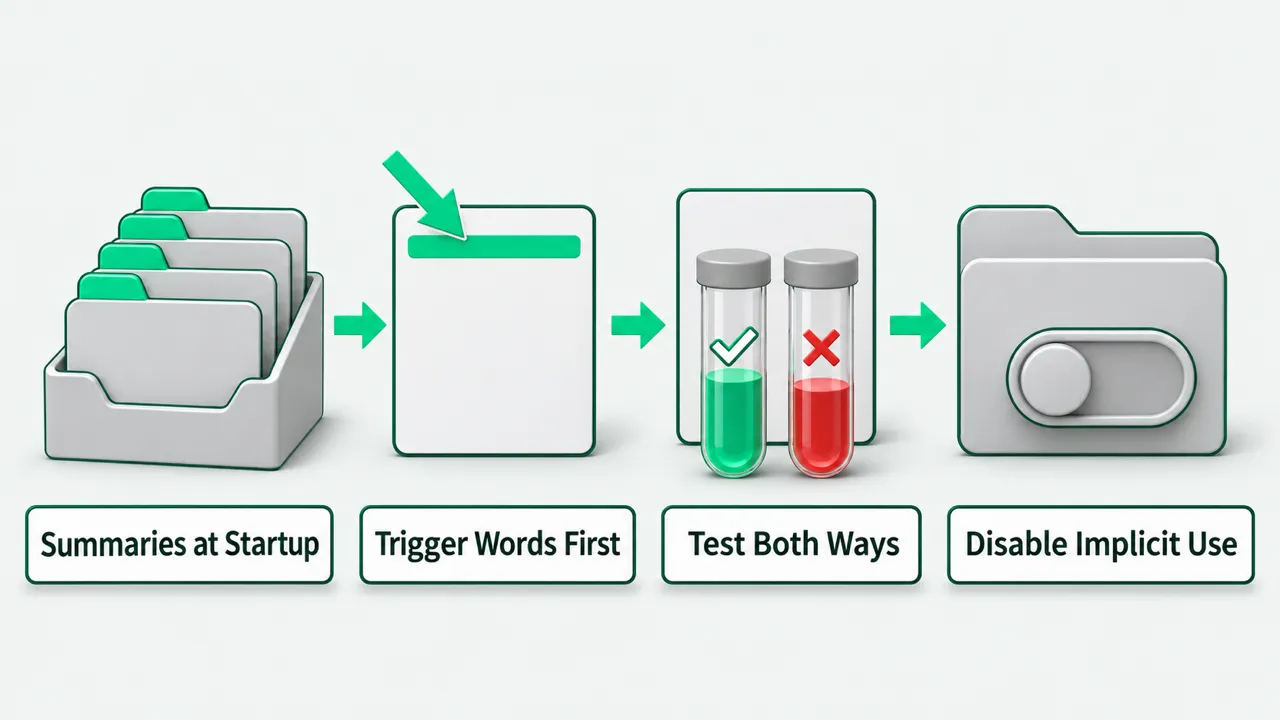
What Codex looks at to decide on a trigger
A skill is a directory. The frontmatter at the top of its SKILL.md must have name and description. At startup, Codex reads only each skill’s name, description and file path. It reads the full SKILL.md only when it decides to use that skill. For install paths and how to disable skills, see Codex Skills: How to Install Them and How to Call Them.
There are two kinds of trigger. Explicit: the user names the skill, with /skills or a $ mention in the CLI or IDE extension. Implicit: Codex picks the skill itself when the task matches the skill’s description. Codex has not read the body when it picks a skill. If the scope is written only in the body and the description is vague, implicit triggering rarely selects it.
By default, this initial skill list takes at most 2% of the model’s context window. If the window size is unknown, the budget is 8,000 characters. When many skills are installed, Codex first shortens descriptions. With even more, it omits some skills and shows a warning. You can change this limit with skills.max_context_tokens, up to 10,000 tokens. Before raising the limit, make each description concise.
How to write name and description
The official best practice is one job per skill. The points below come from the open agent skills specification and the writing guidance in Codex’s built-in skill creator.
- name rules: at most 64 characters. Only lowercase letters, digits and hyphens. It cannot start or end with a hyphen, cannot contain consecutive hyphens, and must match the name of its directory.
- description structure: at most 1,024 characters. First say what the skill does and when to use it, with specific keywords that help identify the task. Put the main use and the trigger words at the front, so the description still matches when it gets shortened.
- Do not write a list: the specification’s counterexample is a one-liner such as “helps with PDFs”. Also do not turn the description into a list of every capability, or into a catch-all that accepts any request. Put detailed steps in the body or in references, not in the description.
- Exclusions: add one sentence on what the skill is not for only when it prevents a common false trigger.
How to test what should and should not trigger
Reading the description is not enough. The official best practice is to test the description with prompts and confirm that it triggers when it should. The engineer writing the skill can prepare two sets of prompts. One set holds different phrasings that should trigger. The other holds phrasings that look similar but should not trigger. Try a few from each set and check whether Codex picks correctly.
If a prompt that should trigger misses, move the task keywords forward into the first sentence of the description. If a prompt that should not trigger selects the skill, narrow the scope or add an exclusion sentence. After each change, retest with both sets.
When there are many skills, descriptions get shortened. Skills in a shared team repository also need a periodic read-through to check for overlapping descriptions across SKILL.md files. For review and gating once team skills enter the repository, see What Does It Take to Make Codex Part of Your Team’s Dev Workflow?.
What to do with skills you only want to call by hand
Some team skills are meant to be run only when someone names them. The team does not want Codex to pick them automatically when a routine task happens to touch the description.
For these skills, do not write an obscure description to dodge automatic triggering. In the skill directory’s agents/openai.yaml, set policy.allow_implicit_invocation to false.
After that, Codex no longer selects the skill from its description. It can only be called by name, and the description can stay clear and readable.
Writing Codex skills: FAQ
After installing many skills, Codex says some were omitted. Should I change the config or the descriptions first?
First remove skills you do not use or whose descriptions overlap. Tighten each description to what the skill does, when to use it, and the leading keywords, and move detailed steps back into the body or references. If you really need to keep many skills, then raise the limit with skills.max_context_tokens, up to 10,000 tokens.
I renamed a skill directory. Does name need to change too?
Yes. The open agent skills specification requires the name at the top of SKILL.md to match the directory name. It can have at most 64 characters, only lowercase letters, digits and hyphens, cannot start or end with a hyphen, and cannot contain consecutive hyphens. After the change, run the test prompts again to check triggering.
How long should the SKILL.md body be?
The description controls triggering. The SKILL.md body is the instruction Codex reads after it selects the skill. The specification recommends keeping the SKILL.md body under 500 lines and moving long reference material into separate references files that are read when needed. The body holds only the constraints and steps this task needs, not general knowledge.