
Enterprise AI
Scheduling Agents and Rush Orders: How Does the Workshop Manager Approve?
When a manufacturer's scheduling agent handles a rush order, it first freezes the current schedule baseline and recalculates the affected orders in a copy. It lists options and their costs under goals such as on-time delivery or fewer changeovers. The workshop manager, planning, sales, and purchasing co-sign the chosen option before it is released.
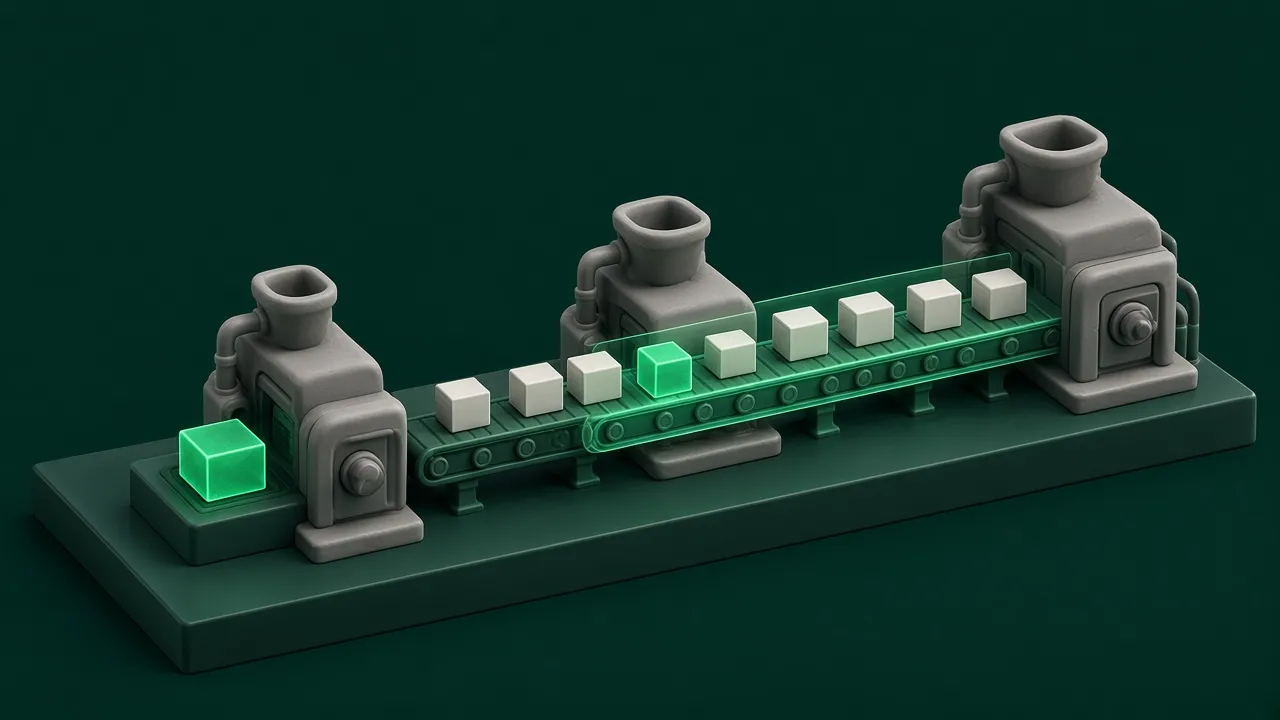
When a scheduling agent receives a request to insert a rush order, it first freezes the current schedule as a baseline. It then recalculates the rush order together with the current order pool in a copy of the schedule. The official production plan stays unchanged. After recalculating, it generates several options under different goals: on-time delivery, compact output, minimum disruption, and fewest changeovers. Each option shows the list of affected orders, the number of changeovers, and the days of delay. The workshop manager decides together with the planner, sales, and purchasing which option to use. Until the review passes, the workshop runs the original plan.
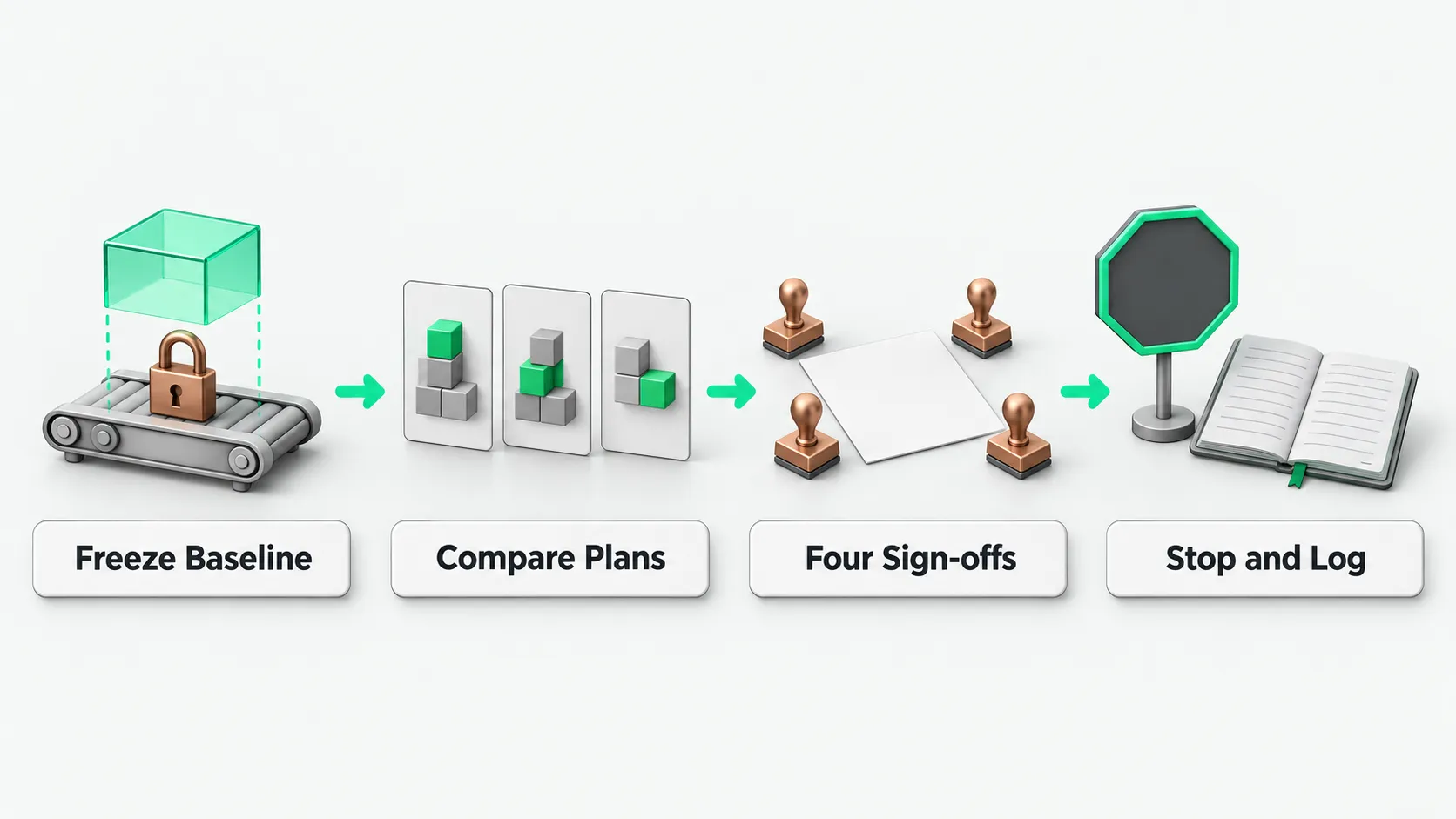
What to calculate first when a rush order comes in
Whether to accept a rush order cannot be decided by the earliest date that order alone could finish. The machine time, materials, and queue position the rush order uses all come from the same production plan. When the scheduling agent handles a rush order, it first freezes the schedule currently running as the baseline. It then opens a copy of the schedule and recalculates the rush order together with all orders on hand. The official plan running on the floor does not change until approval is complete.
After recalculating in the copy, the scheduling agent compares the copy with the baseline order by order. For each order on hand it checks the planned start date, finish date, resources used, processing sequence, material shortages, number of changeovers, and days of delay. It produces a list of affected orders. The list states which orders that were on time are pushed back, which machines get more changeovers, and which material batches cannot keep up with the new schedule. Scheduling simulation suits a tool because days of delay and number of changeovers can be checked directly on the schedule. For how to pick this kind of use case, see Choosing Enterprise AI Use Cases: Start With Work You Can Verify on the Spot.
The scheduling system can lock tasks already released and set protection levels for orders on hand. Production tasks already released to the floor are locked by default, and the rush order first looks for open machine time outside the locked range. A delay on a major customer’s order may trigger contract penalties, so the company can give these orders a high protection level. When the scheduling agent simulates in the copy, it does not force a delay on any high-protection order.
How to present the options to the workshop manager
Fitting a rush order into existing capacity means trading off the rush order’s due date, the due dates already promised on other orders, the number of changeovers, and total output. These measures pull against each other. The scheduling agent can calculate one option per goal and list the cost of each option in one comparison table for people to choose from.
The common options each favor something different. The on-time delivery option keeps the rush order and other orders on schedule as far as possible, at the cost of possibly moving more orders and adding changeovers. The fewest-changeovers option groups jobs that use the same mold, so the rush order may wait for the current batch to finish. The minimum-disruption option leaves the existing plan as untouched as possible, so the rush order may finish later. The compact-output option fills the machines and finishes the whole batch as early as possible, so a few orders may be due later.
When each option goes to the workshop manager and planner, it carries its list of affected orders, number of changeovers, days of delay, material shortage risk, and whether overtime or outsourcing is needed. The scheduling agent only does the math and lays the options side by side. It does not choose for anyone.
What the workshop manager approves, and who co-signs
Choosing which option to run is a business decision. Which existing order is delivered late, whether to add overtime or outsource, and whether to renegotiate a due date with the customer are all decided by people. Before an option is released, the workshop manager, planner, sales, and purchasing each confirm it.
The workshop manager checks changeover frequency on the line, crew labor hours, and whether overtime is feasible. The planner checks capacity balance and changes to locked tasks. Purchasing checks whether material arrival dates line up. Sales checks how much room there is to talk to the customers of affected orders. A date change on the schedule only means the planned result changed. Whether the customer’s delivery date changes must be confirmed by someone authorized to make that promise.
The review has a response deadline, and what happens on timeout is agreed in advance. Until all four parties approve, the plan running on the floor stays the same.
When to stop and hand over to a person, and what to record
How accurate a schedule option is depends on the accuracy of the base data. If standard labor hours, machine changeover times, or purchased material arrival dates in the system are off, the finish dates and delay costs the scheduling agent calculates will be off too. Some cases leave the agent without a reliable option: a product combination the workshop has never made, missing historical labor hour and changeover data, or every simulated option delaying a high-protection order. In these cases the scheduling agent stops calculating and hands over to the planner and workshop manager to schedule by hand. For when an unattended process should stop and hand over to a person, see Agent Safety Guardrails: When to Stop an Unattended Run.
Every rush order insertion is recorded in the system from request to release. The record includes which rush order was inserted, the frozen schedule baseline at that time, which options the scheduling agent produced, the changeovers and delay cost of each option, which option the four-party co-sign chose, and who approved the release and when. If an order is delayed later or workshop labor hours look abnormal, the team pulls up the review record and checks the basis of the decision.
Scheduling agents: FAQ
Major customer orders carry delay penalties. How are they protected in scheduling?
The company can set protection levels for orders in the system. The planner marks major customer orders whose delay may trigger contract penalties as high protection. When the scheduling agent simulates the insertion in the schedule copy, it follows the protection constraints and does not force a later finish date on these orders. It looks for room among ordinary orders first. If overtime or outsourcing is needed, the workshop manager decides.
The simulated option is far from what the workshop actually produced. Why?
Check the base data first. The quality of a schedule option depends on accurate standard labor hours, changeover times, and material arrival dates. If actual changeovers take longer than the system records, or purchasing’s material arrival dates keep changing, the calculated costs will be off. For a product combination never produced before, the scheduling agent lacks base parameters and should stop and hand the assessment to the planner and workshop manager.
Inserting a rush order requires changing tasks already released. Who decides?
Tasks already released to the floor are locked by default, and a rush order first looks for room in the schedule outside the locked range. If a locked task really must change, the planner performs an explicit unlock in the system and records the reason. The change takes effect only after the workshop manager, planning, sales, and purchasing co-sign. The scheduling agent cannot unlock released tasks on its own.