
AI Safety
Agent Management Starts With an Inventory: Who Runs Employee-Built Agents?
Log agent purpose, builder, owner, systems, credentials, triggers, last run. Tier by data sensitivity and action impact. Disable unowned agents by a deadline.

Once employees can build agents with low-code tools, start agent management with an initial inventory. Complete it before scaling up. Start an agent register. For each agent, record its purpose, builder, owner, connected systems and data, credentials, trigger type and last run time. Once the inventory is complete, assign risk tiers based on the data each agent accesses and the actions it can take. Disable and archive tasks that have been unused for a long time, have no owner or have broken connections, following the rules.
Employee-built internal tools are spreading fast. On October 8, 2026, the Spanish telecom operator Orange Spain and Google Cloud announced that employees had built more than 1,000 custom AI agents on the low-code framework in Gemini Enterprise. The agents cover HR, IT, sales and customer service. Business teams set up workflows themselves to handle routine tasks and keep IT from becoming a bottleneck. As the number of instances grows, people often cannot say how many automated processes are running across the company, which ones read and write core databases, or which ones have long gone unmaintained.
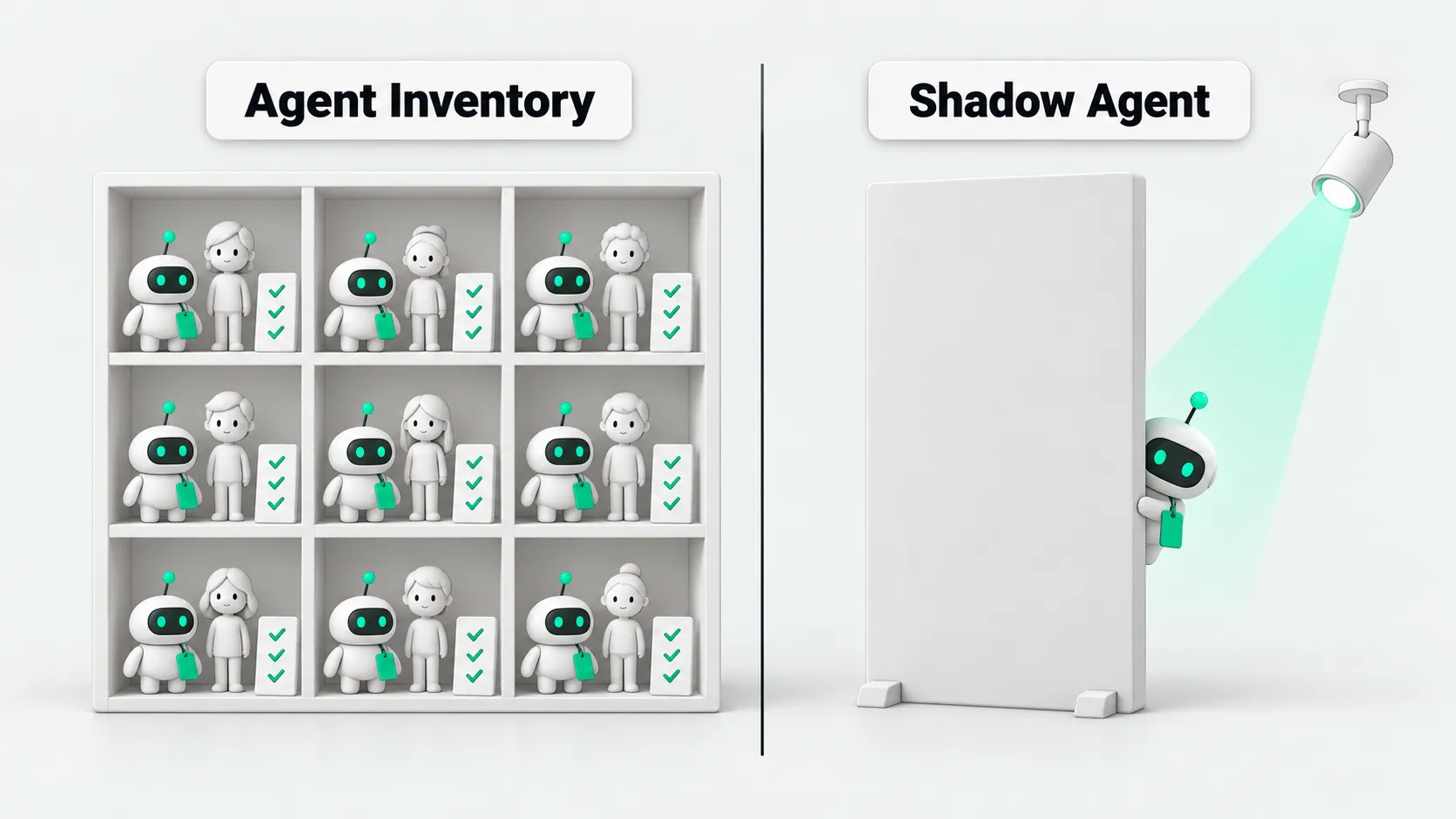
Set the register fields first: seven items record what runs and who is responsible
When inventorying agents, record seven basic items in the register:
Purpose: record the specific actions the agent performs each day. For example, use “extract a summary of customer support tickets every Friday.” Avoid vague entries such as “work assistant.”
Builder and current owner: the current owner makes decisions when configuration drift or a business dispute occurs.
Connected systems and data scope: record the internal systems and tables the agent calls. Reading public documents and reading customer phone numbers carry very different risks.
Credential ownership: record whether the agent uses a personal access token, a shared team account or a dedicated service account. Flag background tasks that use personal credentials in the register.
Trigger type: record whether the agent starts with a manual click, a Webhook event or a schedule. Scheduled and event-triggered tasks run without someone watching and are more likely to keep consuming resources.
Last run time: record the time of the most recent call. Agents with no calls for a long time are usually abandoned.
Risk rating: label each agent based on data exposure and action impact to guide handling by category.
Four places to check: find shadow agents wherever they run
Central platform admin console: enterprise low-code platforms usually provide an admin dashboard. Export the workflow list, publish status and call logs directly from it.
Connector authorization records: many employee-built agents connect to CRM, ERP or email systems. Review system OAuth authorization lists to find personal accounts with undisclosed system connections.
API credential and access key lists: review API Key issuance records in gateways and cloud platforms. If a business user has requested database credentials and the calls come from a hosted platform, trace the key to locate the instance.
Business team self-reporting: use a questionnaire to ask each department to check its own agents. Include local scripts and lightweight configurations without scheduled triggers. Provide formal support for configurations that teams report voluntarily.
For ways to limit the initial scope before opening agent building to everyone, see Why Should an Enterprise AI Pilot Start With One Department?.
Assign risk tiers: check what data agents can access and what actions they can take
Low-risk tasks: read only public information or general knowledge bases and do not write to external systems. These agents can cause limited damage. After registration, business teams can maintain them independently.
Medium-risk tasks: can read sensitive internal data, such as unmasked sales records or employee salaries, or create to-dos and drafts. Incorrect outputs can lead to information leaks or process rework. Assign an owner and record the query scope.
High-risk tasks: have direct write access to production systems, such as changing CRM status, emailing customers, changing inventory or performing actions involving funds. These tasks cause direct losses if they go out of control. Put them under central monitoring and require human approval.
Agents whose owners cannot be found
CIO Dive reported on October 16, 2026, that about a quarter of AI agents in enterprise environments run without monitoring. If an inventory finds an agent whose owner cannot be identified, first disable automatic triggers and retain its configuration. For handover steps, see Who Owns an AI Agent When the Employee Who Built It Leaves?.
Review cadence and retirement rules: regularly clear out agents idle for long periods and broken connections
Run a full review at intervals set by the team. Define clear cleanup rules:
Activity check: notify the owner if an agent has not been triggered within the agreed period. If the owner remains unresponsive, put the agent into a dormant state.
Credential and connection validity: pause scheduling when an OAuth Token expires or an internal API keeps returning errors. This prevents failed retries from consuming resources.
Owner’s current role: check whether the owner is still in the same role. When staffing changes, remind the department to appoint a new owner.
Using the inventory results: focus governance resources on two types of tasks
Prioritize two types of tasks. First, check high-risk agents with external write and outbound send permissions. Check whether they have action limits and rollback mechanisms. Second, address medium- and high-risk tasks that access core sensitive data using personal credentials. Replace these credentials with dedicated service accounts with the minimum necessary permissions and narrow their read-only access.
For the large number of personal productivity assistants, maintaining basic register entries is enough. Once the inventory identifies high-risk tasks, see AI Agent Security Governance Must Come Before Scaling for the safeguards to build next.
Agent Management: FAQ
What resistance might IT face when inventorying agents built by business teams?
Business teams often worry about tighter permissions or losing autonomy. Register low-risk read-only tasks without adding approval steps. IT helps business teams manage credentials and monitoring, and focuses checks on unauthorized writes and credential leaks.
Should existing agents found in the inventory be remediated all at once or in batches?
Remediate existing tasks in batches. Start with high-risk agents involving production writes and sensitive data. Give medium-risk tasks a remediation deadline and replace shared credentials. Gradually register low-risk personal assistants during routine reviews.
How can a company find shadow agents running without its knowledge?
Shadow agents usually bypass the central platform. Their access to internal systems leaves records. Check SSO logs for unregistered AI application authorizations, the API gateway for personal tokens with unusually frequent calls, and the email gateway for unreported automatic forwarding rules. When you find one, freeze its credentials first, then ask the user to complete registration.