
Enterprise AI
Contract Worker Hours Over Budget: Who Approves the Overrun?
When contract worker hours exceed contract caps or project budgets, the business owner explains the cause first, and budget owners approve by company tiers while AI only reconciles records.

When contract worker hours exceed the contract cap or project budget, the timesheet stops first with the business owner to explain the reason, and then goes to the budget owner for approval according to the company’s own dollar tiers; until approved, the excess portion does not enter payment. Every week, AI compares the timesheets submitted by the vendor against badge access records, system login records, and work order or task records, as well as the billing method, roster, and cap in the contract. AI flags entries that do not match, and does not reject timesheets or deduct pay on its own. Hours reconciliation proceeds in two steps, with the business owner confirming workload and finance verifying the amount against the contract, and if the vendor disagrees, both sides check the records line by line within the reconciliation window.
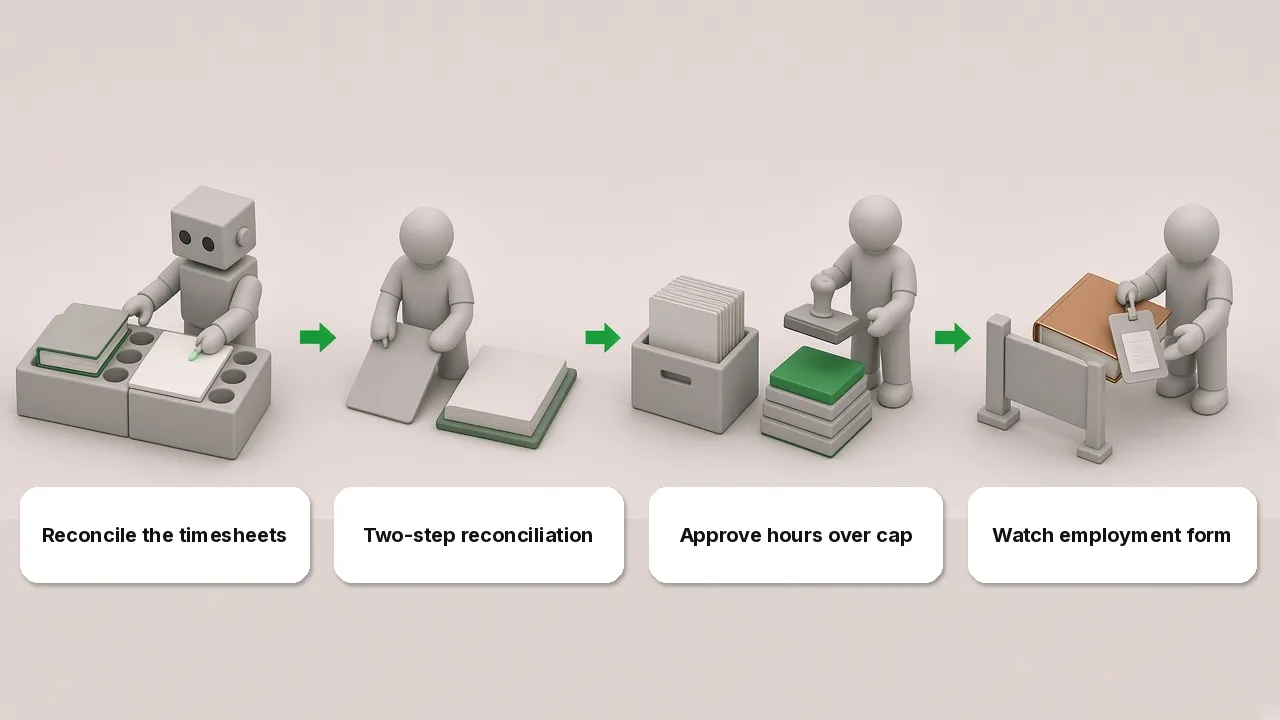
AI first reconciles timesheets against records
After an outsourcing contract is signed and enters execution, the vendor submits weekly personnel timesheets. Article 509 of the PRC Civil Code states that the parties shall fully perform their respective obligations in accordance with the agreement and shall comply with the principle of good faith, performing obligations of notification, assistance, confidentiality, and the like according to the nature and purpose of the contract and course of dealing. At settlement, submitted contract worker hours cannot be checked solely from a summary sheet; they must be verified line by line against process records.
A company can configure its tool to run a weekly comparison matching the vendor’s submitted timesheets against three sets of internal records from the same period:
- Badge access and system login records: check the on-site dates and start and end times declared by contract personnel to see whether they match office badge logs and business system login logs.
- Work order or task records: compare reported hours against work orders and task submission records in the project management system to see whether actual tasks progressed during those hours.
- Contract terms and personnel roster: check against the agreed billing method, registered personnel roster, and total cap to catch unapproved substitutions, wrong rate tiers, or cumulative hours reaching the cap.
After the comparison, the tool flags entries with mismatched durations, roster discrepancies, or hours approaching the cap and routes them to the business department and procurement coordinator. The tool only flags questions; it does not reject timesheets or deduct pay on its own.
Hours reconciliation runs in two steps
Once the discrepancy list is addressed, the process moves to hours reconciliation. Having the business team confirm workload and finance verify the amount takes two steps:
- Business owner confirms work and hours: the business owner in the using department first checks whether the week’s work was completed and whether the reported hours are reasonable. For discrepancies flagged by the tool, the business owner checks each item against schedules and work orders and notes whether it reflects overtime, an urgent request, or a reporting error.
- Finance verifies amounts under contract billing rules: after the business owner confirms the hours, the documents move to finance. Finance calculates the payable amount against the contract billing method, rate tiers by personnel level, and deduction clauses, placing it into a payment batch only after verification. For which controls must be kept between reconciliation and payment in accounts payable, see AP Invoice Agents That Also Pay: Which Controls Can’t Be Skipped?.
Every hours reconciliation leaves a record in the ledger stating who confirmed the hours, who verified the amount, and which work order or login log supported it. During spot checks or reconciliations, the ledger allows the basis to be reconstructed.
Who approves hours over the cap
Once cumulative contract worker hours exceed the contract cap or costs break the project budget, reconciliation stops first, and the excess portion is not reconciled until approved. For how items within a cap flow automatically and how items over the cap route to human approval, see Agent Tool Call Auto-Approval: Which Calls to Allow or Block.
Approval for the overrun follows two steps in sequence:
- Business owner explains the cause of the overrun first: the document stops first with the business owner in the using department. Checking work orders and task records, the business owner writes down why hours exceeded the original cap, whether from mid-project requirement changes, emergency repair work, or a low initial estimate, and attaches change orders or communication records.
- Route to the budget owner by the company’s own dollar tiers: once the reason is documented, the request routes upward by the company’s own dollar tiers for sign-off by the corresponding budget owner. The dollar tiers are set by the company itself, with different tiers mapping to different levels of budget owners.
Before the budget owner approves and completes the cap addition, finance settles only the confirmed portion within the cap, and the excess portion does not enter hours reconciliation or payment.
Watch employment structure when paying by the hour
When checking contract worker hours and tracking work progress, companies also need to watch the contract nature and actual management practices so that deliverable-based outsourcing is not managed as labor dispatch. Article 770 of the PRC Civil Code states that a contract for work is a contract under which a contractor completes work in accordance with the requirements of the ordering party and delivers the work results, and the ordering party pays remuneration. Article 27 of the Interim Provisions on Labor Dispatch also states that where an employer uses laborers in the form of labor dispatch under the name of contracting, outsourcing, or the like, it shall be handled in accordance with those provisions.
If a company signs an outsourcing contract and pays by the hour, but in daily work its own supervisors assign tasks and manage contract personnel directly every day, that arrangement may be deemed labor dispatch. When this happens, human resources and legal should review the contract terms and on-site management practices together to clarify the management boundary: return daily task assignment and on-site personnel management to the vendor’s project manager, while the company checks and confirms only task requirements, deliverables, and the final submitted timesheets.
Contract worker hours: FAQ
If contract worker hours go slightly over, can we pay first and get approval later?
No, do not pay first and get approval later. Whenever cumulative contract worker hours exceed the contract cap or project budget, the excess portion is neither reconciled nor placed into payment before receiving the budget owner’s sign-off. Undisputed hours within the cap can proceed through normal reconciliation and payment first, while the overrun stops with the business owner to document the reason and is settled only after the appropriate budget owner approves under the company’s dollar tiers.
Can we use badge access records directly as attendance records for contract workers?
Badge access records can only be cross-checked against the timesheets submitted by the vendor and cannot be used directly as the company’s own attendance basis for contract personnel. The tool compares timesheets against badge, login, and work order records each week to help the business owner verify workload and on-site periods; if the company uses badge logs directly to calculate attendance for contract workers and deduct pay for late arrivals or early departures under internal rules, it blurs the management boundary between outsourcing and labor dispatch. Daily attendance should be managed by the vendor itself.
What if there is a dispute in hours reconciliation and the vendor disagrees?
When the business owner and finance conduct hours reconciliation and decline to confirm certain entries because they do not match login records or work orders, and the vendor objects to the hours reconciliation result, the company provides a reconciliation window for the vendor. During that window, the procurement coordinator and business owner bring in the vendor contact to check the tool’s flagged discrepancies, badge and login logs, and work order records line by line. Where the vendor supplies valid task evidence or explains a reasonable cause, the hours are added into the current or next settlement period after the business owner rechecks them; where verification confirms no corresponding work record exists, settlement follows the verified actual hours, and both parties’ signed reconciliation records are archived.