
AI Coding · August 19, 2026
GLM 5.3 API for Codex, DeepSeek Harness, and Oh My Pi
GLM 5.3 is now available on Baize API. Configure the OpenAI-compatible API for Codex, DeepSeek Harness, and Oh My Pi. New accounts receive $10 in starter credit.
GLM 5.3 is now available on Baize API. Use one OpenAI-compatible API key across your SDK, DeepSeek Harness, and Oh My Pi setup instead of rebuilding integrations for each coding workflow. New accounts at api.fxai.ai receive $10 in starter credit, enough to test a real coding task before committing budget.
The public Chat Completions endpoint is https://api.fxai.ai/v1. Baize API keeps GLM, DeepSeek, Qwen, Kimi, and other verified models behind the same authentication and usage records. Check the Models page for the live model ID, price, and availability before deployment.
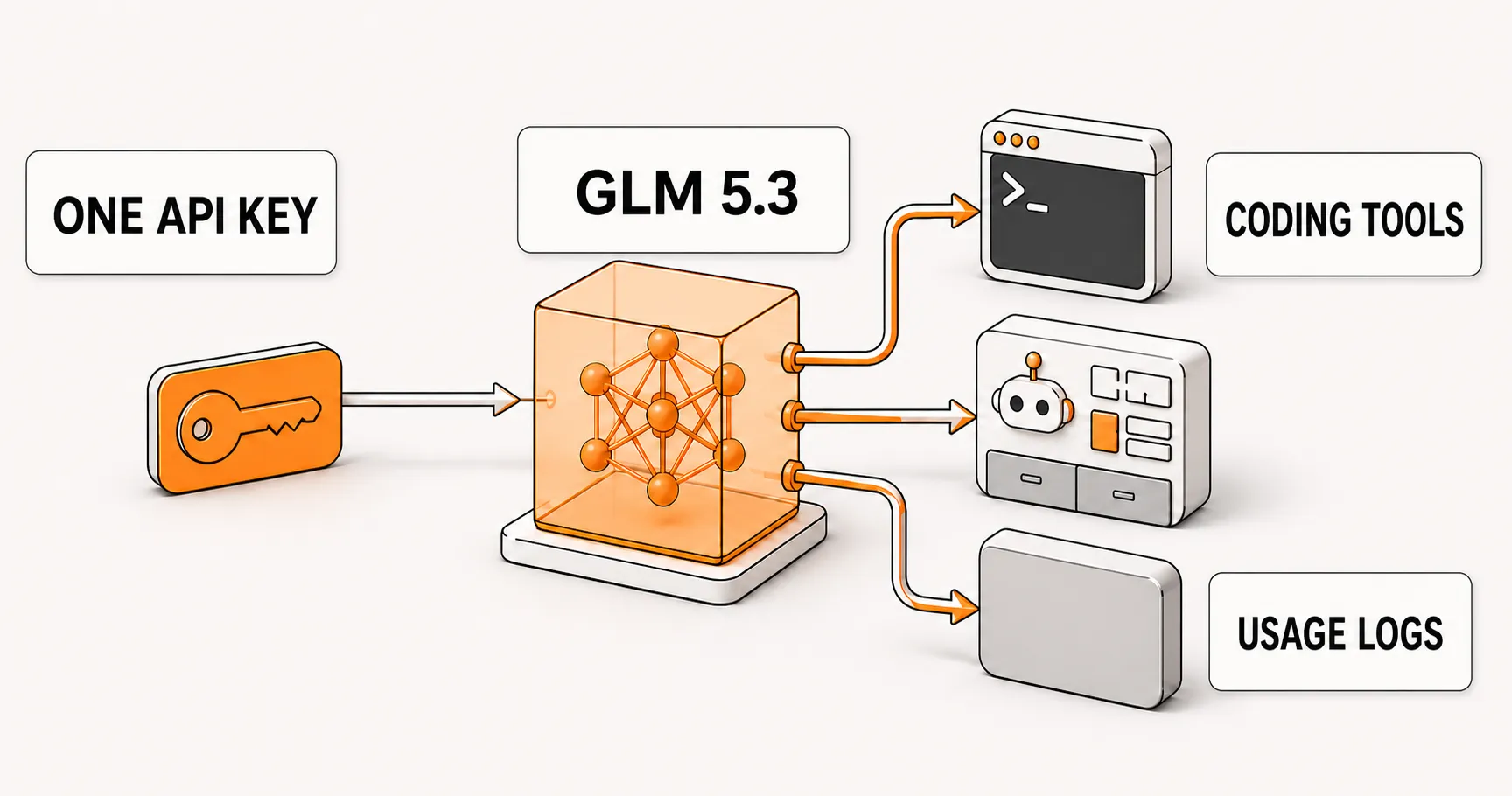
GLM 5.3 API access for coding workflows
Coding agents need different models for different tasks. Repository debugging, test coverage, code review, and focused edits do not use the same context or response budget. Baize API puts GLM 5.3, DeepSeek V4 Pro, Qwen 3.8 Max, and other model options behind one OpenAI-compatible integration, so your team can compare models without creating a new account or SDK path each time.
Run the same task with glm-5.3 and your other candidates. Keep the context, prompt, and acceptance criteria fixed. Then compare task completion, review effort, latency, and token use. The starter credit makes this a small operational test instead of a purchase decision based on a benchmark alone.
Call GLM 5.3 with an OpenAI-compatible API
Existing OpenAI SDK projects usually need three changes: Base URL, API key, and model ID. This Python example uses standard Chat Completions:
from openai import OpenAI

client = OpenAI(
    base_url="https://api.fxai.ai/v1",
    api_key="sk-your-fxai-token",
)

response = client.chat.completions.create(
    model="glm-5.3",
    messages=[
        {
            "role": "user",
            "content": "Review the edge cases in this change and add the smallest regression test.",
        }
    ],
)

print(response.choices[0].message.content)
Keep the key in an environment variable or your secret manager. Model catalogs change, so copy the current ID from the Baize Models page before shipping.
Codex configuration for an FXAI coding route
Codex CLI uses the Responses protocol. The public https://api.fxai.ai/v1 endpoint is for Chat Completions clients such as SDKs, Oh My Pi, and DeepSeek Harness. For Codex, use an FXAI coding route that supports Responses and is enabled for your account. Add a dedicated provider in ~/.codex/config.toml:
model_provider = "fxai-codex"
model = "glm-5.3"

[model_providers.fxai-codex]
name = "FXAI Codex"
base_url = "https://codex-cn.fxai.ai/v1"
env_key = "FXAI_API_KEY"
wire_api = "responses"
requires_openai_auth = false
Store the key in your shell environment, then restart Codex:
export FXAI_API_KEY="sk-your-fxai-token"
codex --strict-config
If your console does not show the coding route or glm-5.3, confirm access before editing your configuration. A Chat Completions URL cannot be used as a Responses endpoint by changing its name in a config file.
Add GLM 5.3 to DeepSeek Harness
DeepSeek Harness can connect to an OpenAI-compatible company gateway through a custom provider. Start the Harness web UI, then open Settings → Models → Add a custom provider:
| Field | Value |
|---|---|
| Provider ID | fxai |
| Display name | Baize API |
| Base URL | https://api.fxai.ai/v1 |
| API protocol | openai-completions |
| API key | Your Baize API token |
| Model | glm-5.3 |
Choose Fetch available models before saving to read the live catalog, or add glm-5.3 manually. Harness stores the credential as a reference and does not return the literal key to the settings page. Its provider guide is the source of truth for current field names.
Configure GLM 5.3 in Oh My Pi
Oh My Pi supports custom OpenAI-compatible providers. Put your token in ~/.omp/agent/.env:
FXAI_API_KEY="sk-your-fxai-token"Then add this provider to ~/.omp/agent/models.yml:
providers:
  fxai:
    baseUrl: https://api.fxai.ai/v1
    api: openai-completions
    apiKey: FXAI_API_KEY
    authHeader: true
    disableStrictTools: true
    discovery:
      type: proxy
Restart OMP and select fxai/glm-5.3. Proxy discovery reads the model catalog from the configured endpoint, which is useful when your team wants to adopt a new model without maintaining a duplicated static list. See the Oh My Pi provider documentation for its full provider schema and credential precedence.
Use the $10 credit for a model test that matters
Avoid testing with a toy prompt. Choose a recurring task from your own work: an edge-case fix, a pull-request review, or a regression test for an existing module. Keep the prompt and acceptance criteria constant, then record task success, reviewer rework, response time, and token use across GLM 5.3 and other candidates.
Baize API records the selected model, request status, input and output tokens, and credit changes. You get one place to inspect an expensive or failed request, then choose when GLM 5.3 fits your team and when another model is the better route.
Start with one key and one real task
- Create a Baize API account and claim the $10 starter credit.
- Generate a token in the console and keep it in an environment variable or secret manager.
- Run one production-shaped task with
glm-5.3, then connect Codex, DeepSeek Harness, or Oh My Pi.
GLM 5.3 API access, OpenAI-compatible API setup, Codex configuration, DeepSeek Harness configuration, and OMP configuration do not need separate account sprawl. Use one integration and inspectable usage records while your team keeps control over model choice.
Read the Chinese version of this guide.START BUILDING
Run your first model call with $10 in starter credit.
Create an API key, choose a live model ID, and keep your existing OpenAI SDK code.