
Enterprise AI · August 22, 2026
What Is Grok Bot? An AI Agent Guide to Persistent Teammates
What is Grok Bot? Learn how xAI's persistent AI agent uses a cloud computer, real Grok Bot use cases, Skills, Routines, Group Chat, and security approvals.
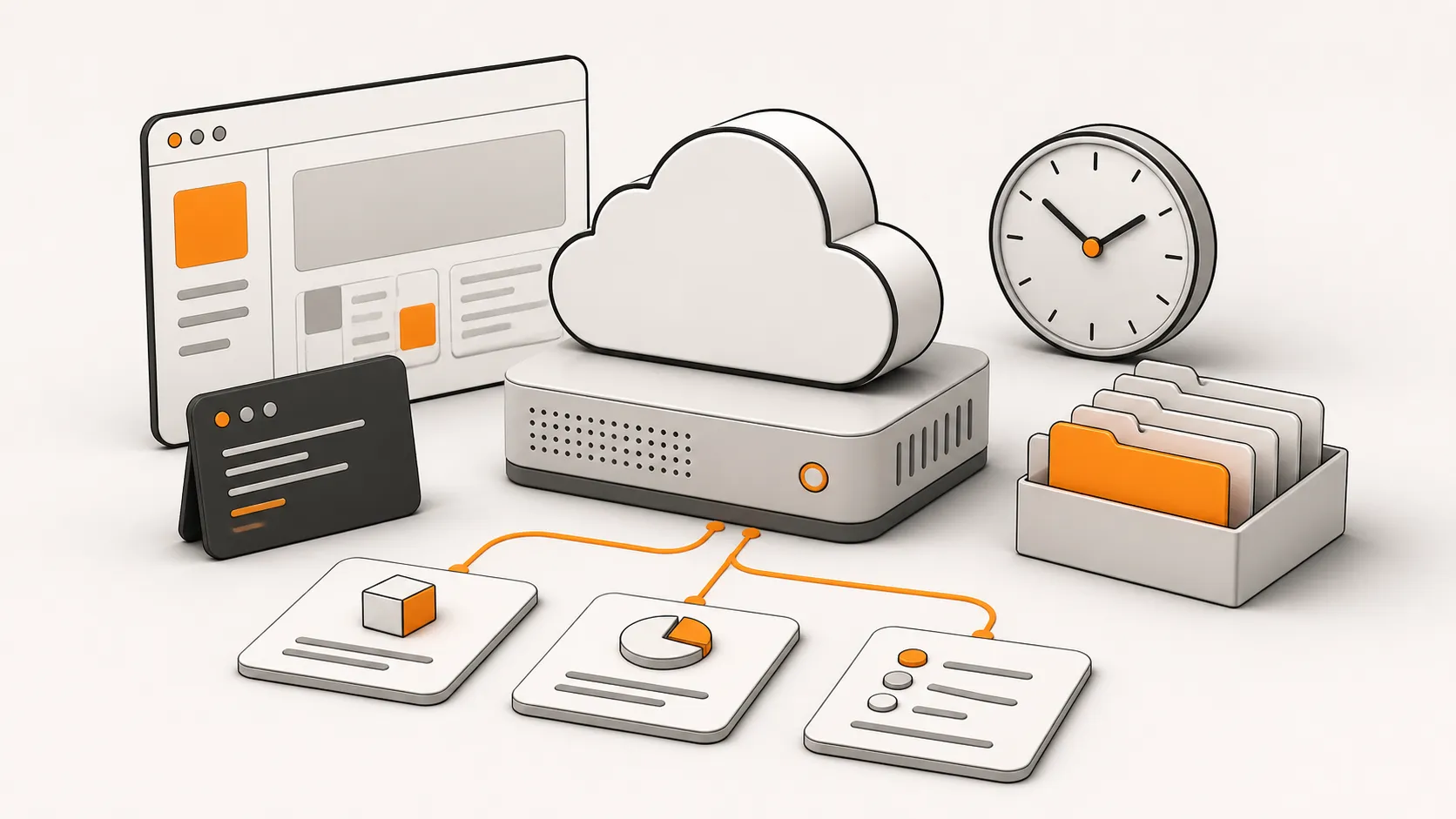
Grok Bot is not another chat tab. It is xAI’s early-beta approach to persistent AI teammates: name a Bot, give it a role and an outcome, and it can work in its own cloud computer with a browser, file system, terminal, connectors, and browser computer use. The work can continue after you leave, then return with results or an approval request. The official overview describes a persistent cloud environment for each user’s Bots.
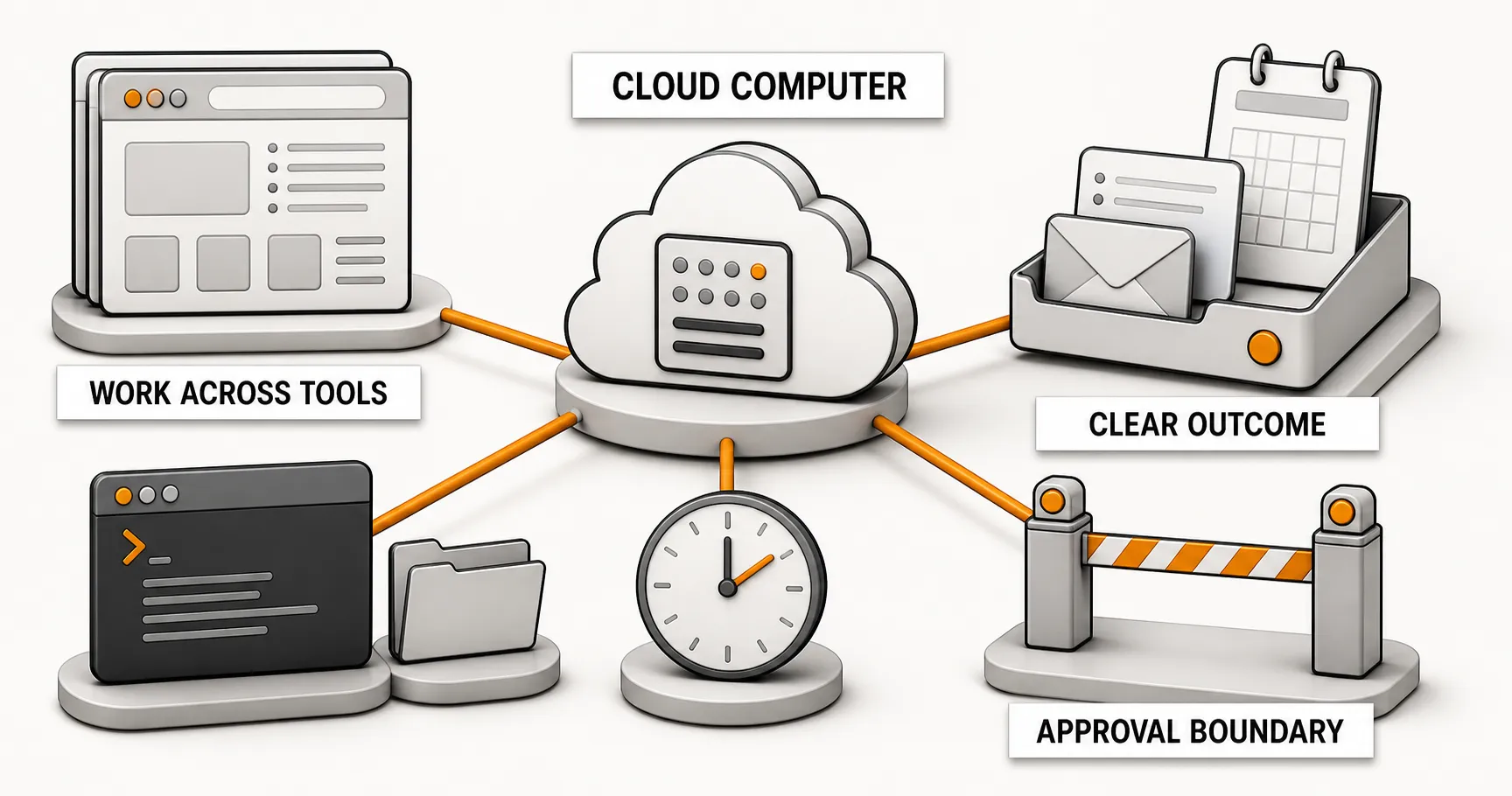
The useful mental model is a digital teammate that can accept a handoff. Chat is where you assign and review work. The cloud computer is where the work happens. Approval rules define the moments when the Bot must stop and ask. That makes Grok Bot better suited to recurring, cross-tool work than to a one-off question and answer.
How is Grok Bot different from a chat assistant?
A conventional chat assistant mostly lives in the current conversation. A Grok Bot is a named unit of work with a persistent cloud environment. It can research in a browser, handle files, run terminal commands, use authorized connectors, and report back in the chat when the task is complete or a decision is needed.
That changes three practical things:
- Work can continue. You do not need to stay in the same tab while the Bot gathers material, organizes it, checks it, or drafts a deliverable.
- Work can span tools. Browser, files, terminal, and authorized services become one task environment rather than disconnected add-ons.
- Roles can be specific. A conference assistant, event operator, researcher, inbox assistant, or bug-reproduction assistant is easier to evaluate than a vague “do everything” assistant.
First boundary: your Bots are not isolated from one another
All Bots under one user account share one user-scoped cloud computer. Files, signed-in websites, and credential state can be visible across Bots. Each Bot has its own screen and task context, but that is not a security boundary. Treat the environment as shared, as the official security guidance requires.
Use multiple Bots for role separation, not permission isolation. Remove temporary files, sensitive sessions, and unused connectors. Do not enable local computer execution when there is no clear need to touch local files. Deleting or hiding a Bot does not automatically erase files or logins from the shared cloud environment.
Grok Bot use cases: five practical roles to try first
| Role | Work to assign first | Decisions you should retain |
|---|---|---|
| Conference assistant | Gather the agenda, capture takeaways, create follow-ups and a recap | External commitments and final conclusions |
| Chief of Staff | Consolidate calendars, inbox items, and project status into a daily brief | Priorities, staffing, and sensitive communication |
| Researcher | Collect public sources, build a comparison table, link the evidence | Which conclusion to adopt and what happens next |
| Marketing operator | Organize material, draft an event page, prepare a content calendar | Publishing, ad spend, payment, and brand sign-off |
| Engineering assistant | Reproduce a bug, gather logs, prepare a minimal fix proposal | Production changes, merges, and permission changes |
The official use-case library also includes sales outreach, talent scouting, paid media, expense management, product performance, and account health. Start with read, prepare, and recommend work. Put sending, publishing, spending, and production changes behind approvals.
How to assign work to one Bot
Start with one Bot and one real, low-risk task. Do not begin by building an entire virtual department. A usable task brief covers four things: the outcome, where to find source material, actions that need approval, and the delivery format.
You own: research and a draft event page for this week's product event.

When you finish, I need: one page of event copy, three headline options,
source links, and a list of open decisions.
Find material in: the event library in Notion and public web sources.
Ask before: publishing, sending invitations, making payments, deleting files,
or changing permissions.
Deliver as: Markdown, with the conclusion first, then evidence and next steps.
This makes the work reviewable. If the result fails, you can identify whether the source material, operating rules, or execution path needs improvement.
Skills and Routines: stabilize first, automate second
Once a task works reliably, save the method as a Skill. A Skill captures when to use it, inputs, access scope, the work itself, validation, output format, and approvals. It answers: “How should this be done?”
A Routine assigns a proven Skill to a Bot on a schedule or an event trigger. It answers: “Who should do it, and when?” The official Skills and Routines guide recommends testing a Routine first because a test run performs real work. Define what should happen when data is missing, work fails, an exception occurs, or approval is waiting before you schedule it.
You can also demonstrate a process with Teach a task. The official FAQ says the feature is rolling out gradually and limits a recording to 10 minutes. It is useful for repeating a stable small process, not for skipping process design.
Multiple Bots and Group Chat
Add a second or third Bot only after the first Bot has stable quality, format, and approval points. A practical structure is one Chief of Staff Bot for decomposition and synthesis, with specialist Bots for research, content, spreadsheets, or engineering reproduction.
The official product term is Group Chat. You can select two to six Bots and assign work with @ mentions; Bots can hand off work asynchronously. The collaboration guide notes a useful limit: Bot-to-group handoffs are text-first. When a Bot needs to inspect an image, send it directly to the Bot that needs it.
More Bots are not automatically better. Each Bot adds coordination, shared-environment, handoff-format, and approval-boundary overhead. Stabilize one workflow before you expand the team.
Set approvals before you grant autonomy
Bots can act on real websites, real files, and real accounts. Keep approval required for sending messages or invitations, public posting, purchases or transfers, deleting or overwriting data, permission changes, production changes, and accepting legal terms. Configure this in Settings → General → Auto-review. When Require Approval and Always Allow both match, Require Approval wins.
Passwords, passkeys, two-factor authentication, CAPTCHAs, and payment confirmation require you to take over the computer. Supported connectors can use a secure secret request for protected values, but it is not a general password manager. If no task requires local file access, leave Execution on Local Computer set to Never allowed; that does not prevent the Bot from using its own cloud computer.
Approvals only stop the next action. They cannot undo an action that already happened. Locking high-risk actions before a run is more useful than denying a completed action afterward.
Three claims to treat carefully
- The official documentation currently uses Group Chat. Do not treat an interface name from another product surface as the cross-platform product term.
- The current FAQ lists macOS, Windows, and iPhone. Check the current official page before claiming Android, iPad, or Linux availability.
- Usage and billing vary by plan and region. xAI describes weekly included usage and, for some eligible accounts, additional model and token billing. Do not extrapolate team capacity from one person’s usage percentage over two days. Use the FAQ to verify current terms.
Grok Bot FAQ
What can Grok Bot do?
Grok Bot can work across a cloud browser, files, terminal, and authorized tools. Useful first tasks include public research, meeting preparation, event-page drafts, bug reproduction, and status briefs. Give it a role, a deliverable, source locations, and approval limits.
Does each Grok Bot have a separate cloud computer?
No. Bots under one user account share one user-scoped cloud computer. Their task contexts are separate, but files, login state, and authorized tools are not isolated security domains.
Can Grok Bot publish, spend money, or change production systems automatically?
Those are high-risk actions that should require explicit approval. Configure Require Approval in Auto-review, then begin with low-risk reading, organizing, and drafting tasks.
Start with a role, not a mega-chat
Grok Bot becomes valuable when it can reliably own a slice of work with a clear output, source locations, and approval boundaries. Start with a conference assistant, researcher, or event operator. Revise two real deliveries, then save the stable process as a Skill. Multi-Bot collaboration and Routines reduce work only after that first workflow is dependable.
For task ideas, UseGrokBot is a useful community-curated source of examples. Use it for inspiration, not as the authority for access, security, support, or pricing.
Read the Chinese version.NEXT STEP
Bring a reliable AI workflow into your team.
Baize Tech provides architecture, specifications, delivery plans, and implementation guidance.