
AI Coding · August 16, 2026
Run Qwen3.8-27B Locally on Mac with Unsloth
Pick an Unsloth Dynamic GGUF from Apple Silicon unified memory, then run Qwen3.8-27B with Desktop, Studio, or llama.cpp. On 32GB Macs, use UD-Q4_K_XL (~17.9GB).

Qwen3.8-27B runs on Apple Silicon unified memory. Unsloth’s 4-bit Dynamic GGUF is about 18GB. A 24GB Mac can load it if you keep context short. 32GB is the comfortable default. Follow Unsloth’s Qwen3.8 guide and download weights from unsloth/Qwen3.8-27B-GGUF.
If the machine does not have that RAM, or you only need to call the model, Baize API exposes Qwen 3.8 Max behind one OpenAI-compatible endpoint. That path is at the end of this guide.
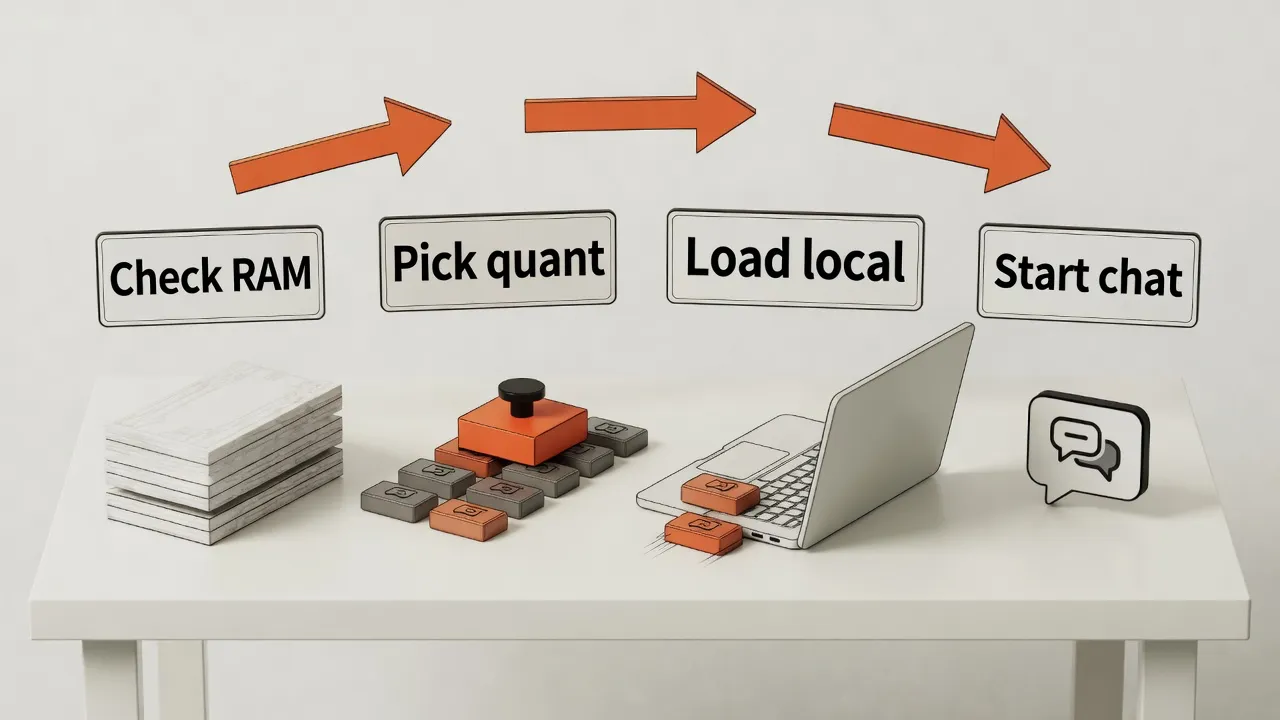
Pick the quant from unified memory
| Unified memory | Quant | Weight size | Notes |
|---|---|---|---|
| 16GB | Skip | n/a | Weights plus KV cache leave too little for the OS |
| 24GB | UD-Q3_K_XL or Q4_K_M |
13.4 to 17.1GB | It runs. Keep context modest. |
| 32GB | UD-Q4_K_XL |
17.9GB | Unsloth’s usual quality and speed pick |
| 48GB | UD-Q5_K_XL or Q6_K |
20.2 to 22.9GB | Better quality and longer context |
| 64GB and up | Q8_0 or BF16 |
29 to 54.7GB | Near full precision on Max / Studio |
UD-* files are Unsloth Dynamic quants. At the same bit width they are usually more accurate than a plain Q4_K_M. Sizes above come from the GGUF repo listing in August 2026. Check the live file list before you download.
Qwen3.8-27B includes vision and reasoning, a native 256K context (YaRN can extend to 1M), tool calling, and MTP. Thinking is on by default. You can set reasoning_effort to xhigh, medium, low, or none.
Method 1: Unsloth Desktop
The Mac default. The app uses MLX and llama.cpp for you, so you do not compile Metal yourself.
- Download Unsloth Desktop for Mac (
.dmg). - Drag it into Applications and open it.
- Search
Qwen3.8in Select model / Model hub. - Pick a quant (
UD-Q4_K_XLon 32GB) and download it. - Chat. You can toggle thinking, Preserve Thinking, and
reasoning_effort.
Desktop also covers fine-tuning, tool calling, code execution, and MCP.
Method 2: Unsloth Studio
Install the browser UI from a terminal:
curl -fsSL https://unsloth.ai/install.sh | sh
unsloth studio -H 127.0.0.1 -p 8888
Open http://127.0.0.1:8888, set a password on first launch, search Qwen3.8, and download the quant that matches your RAM. Updates use the same install.sh.
Method 3: llama.cpp plus the Unsloth GGUF
Use this when you want an OpenAI-compatible API for Cursor, Continue, or your own service.
Install build tools
On a Mac, use Homebrew. Do not copy Linux apt commands.
brew install cmake git curlBuild llama.cpp with Metal
git clone https://github.com/ggerganov/llama.cpp
cmake llama.cpp -B llama.cpp/build \
  -DBUILD_SHARED_LIBS=OFF -DGGML_METAL=ON
cmake --build llama.cpp/build --config Release -j \
  --target llama-cli llama-server llama-mtmd-cli
cp llama.cpp/build/bin/llama-* llama.cpp/
Do not enable CUDA on Apple Silicon. Metal is the default. The Unsloth iq1-narrow branch is only needed for extreme quants such as IQ1_XXXS.
Download the Unsloth Dynamic GGUF
pip install -U "huggingface_hub[cli]"
hf download unsloth/Qwen3.8-27B-GGUF \
  --local-dir unsloth/Qwen3.8-27B-GGUF \
  --include "*UD-Q4_K_XL*"
On a 24GB machine, change the last line to "*UD-Q3_K_XL*".
Chat
./llama.cpp/llama-cli \
  --model unsloth/Qwen3.8-27B-GGUF/Qwen3.8-27B-UD-Q4_K_XL.gguf \
  --temp 1.0 --top-p 0.95 --top-k 20 --min-p 0.0 \
  -c 8192 -ngl 99
-ngl 99 offloads as many layers as possible. On M-series chips the GPU and CPU share unified memory. Start at -c 8192, then raise context only if RAM remains.
Serve a local API
./llama.cpp/llama-server \
  --model unsloth/Qwen3.8-27B-GGUF/Qwen3.8-27B-UD-Q4_K_XL.gguf \
  --temp 1.0 --top-p 0.95 --top-k 20 --min-p 0.0 \
  -c 8192 -ngl 99 --host 127.0.0.1 --port 8080
The OpenAI-compatible endpoint is http://127.0.0.1:8080/v1.
Sampling parameters
| Parameter | Thinking (default) | Instruct |
|---|---|---|
| temperature | 1.0 | 0.7 |
| top_p | 0.95 | 0.80 |
| top_k | 20 | 20 |
| min_p | 0.0 | 0.0 |
| presence_penalty | 0.0 | 1.5 |
Do not drop thinking-mode temperature to 0.2 to 0.5. Quality falls. These values match the Qwen / Unsloth guidance for Qwen3.8-27B.
Other clients
LM Studio: search unsloth/Qwen3.8-27B and pick a GGUF or MLX file.
Ollama: a community package, smtek/Qwen3.8-27B, republishes Unsloth GGUFs. Check the live Ollama library before you assume an official qwen3.8 MLX tag exists.
Practical limits on a Mac
Quit browsers, Xcode, and Docker first. That matters most on 24GB machines.
Do not open the full 256K context on the first run. KV cache costs tens of kilobytes per token. A 24GB Mac is usually safe between 8K and 32K. 48GB can try 64K and above.
If Desktop crashes or an MTP GGUF misbehaves, update Desktop or rerun install.sh. Vision on the GGUF path still needs the matching mmproj. Desktop and MLX usually skip that extra file.
Fine-tuning on a Mac belongs in Unsloth Desktop (MLX). pip install unsloth still targets CUDA, so it is the wrong default on Apple Silicon.
When you do not want to spend 18GB of unified memory
Local inference spends unified memory. 24GB gets tight once context grows. 16GB is not a realistic host for this 27B file.
If the job is to call Qwen3.8, you do not need a larger Mac first. Baize API serves Qwen 3.8 Max at https://api.fxai.ai/v1. Existing OpenAI SDK code keeps the same request shape. Change the Base URL, API key, and model ID. The current Baize ID is qwen3.8-max.
from openai import OpenAI

client = OpenAI(
    base_url="https://api.fxai.ai/v1",
    api_key="sk-your-token",
)

response = client.chat.completions.create(
    model="qwen3.8-max",
    messages=[
        {
            "role": "user",
            "content": "Turn this stack trace into a short, testable fix list.",
        }
    ],
)

print(response.choices[0].message.content)
New accounts currently receive $10 in starter credit. Use it on a real task before you decide whether local weights are worth the RAM. Copy the live model ID from the Models page. The setup steps are in the Baize OpenAI-compatible API guide.
Shortest path
To run it locally first: install Unsloth Desktop, search Qwen3.8, download UD-Q4_K_XL.
To attach an editor or your own service: llama-server plus the same Unsloth GGUF.
If the machine cannot hold the file, or the team needs one shared catalog: create a Baize API account.
Read the Chinese version.START BUILDING
Run your first model call with $10 in starter credit.
Create an API key, choose a live model ID, and keep your existing OpenAI SDK code.