
AI Safety
Agent Permission Management: How to Set Tool Access Levels and What to Grant First
Agent access by impact: reads, internal drafts, capped writes; humans approve external actions, payments and irreversible operations; upgrade and revocation rules per tier.

Agent permission management starts with read-only queries, followed by internal drafts and reversible writes. Set limits on changes to business systems. External sends need prior human approval. Payments and irreversible actions can remain subject to human review long term. Each time you add a permission, state what the agent may do, who is affected if it makes a mistake, and who can stop it.
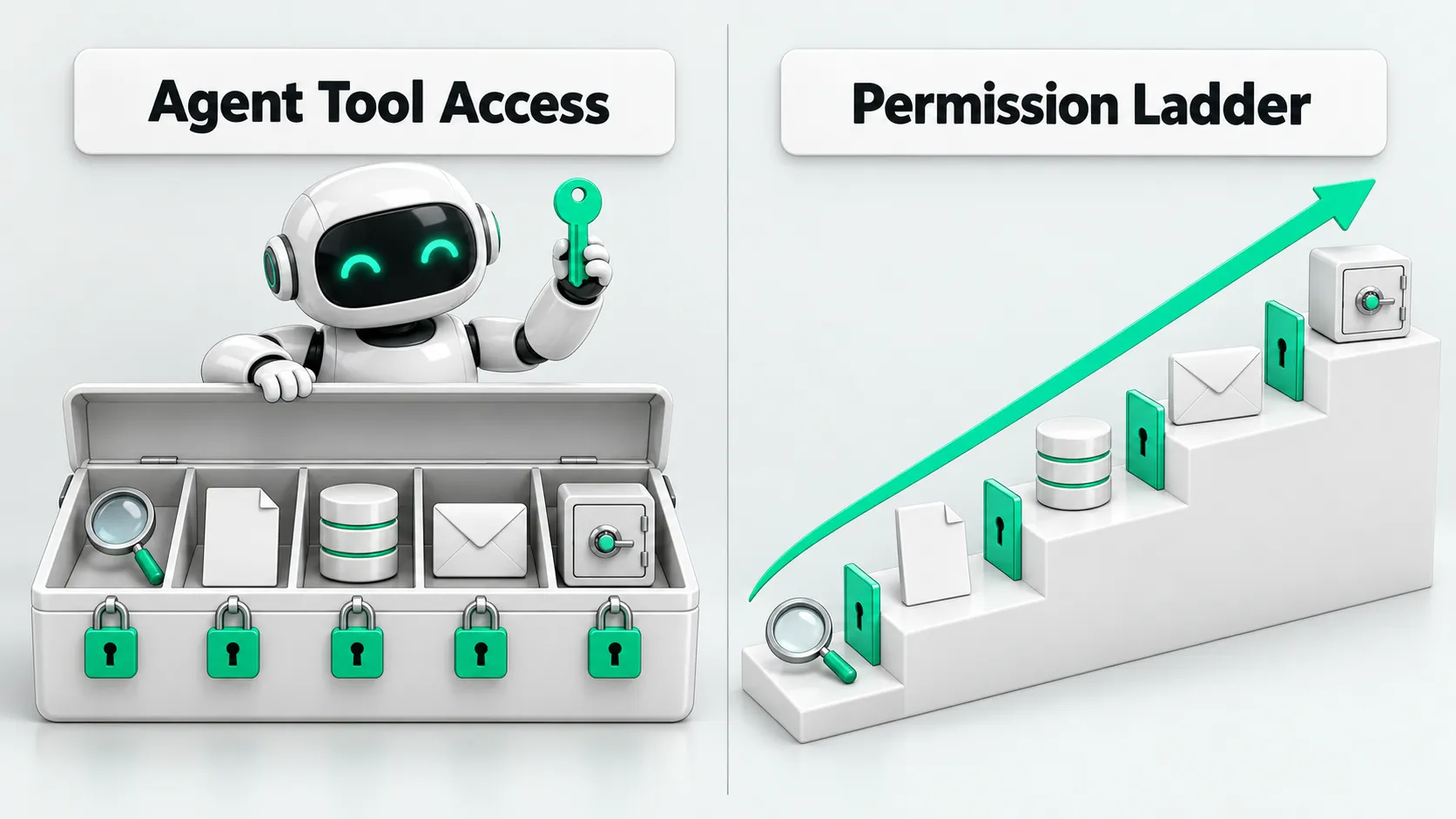
Within the same tool, looking up customer information, changing customer fields, and emailing customers have different consequences. Separate these actions when you enable the connector. Do not give the agent all the permissions of the account. The sections below set the order for granting access by the consequences of each action. Run logs and check results determine whether to move to the next level.
Read-only queries: first confirm it finds the right person and information
Start by allowing the agent to search the knowledge base, read task-related records, and prepare summaries. Before granting access, limit the departments, projects, fields, and time ranges it can query. For a project progress summary, provide only that project’s information. Do not also grant access to other customers’ contracts or employee information.
Read-only errors also have consequences. The agent may treat customers with the same name as one person, use an old quote as the current price, or include unrelated personal information in a summary. Check against the sources to see whether it selected the wrong target, cited outdated content, and stopped to ask when information was missing.
Before granting drafting permission, confirm that these problems can be detected, the system blocks queries outside the permitted scope, and the person responsible can reconstruct the query process from the logs. If the agent retrieves data across customers, narrow its read scope first. If it sees information it should not access, revoke the relevant access credentials and investigate the cause before restoring access. Do not keep it running with only an extra line in the prompt.
Internal drafts: where they are saved and who uses them next
Next, allow draft meeting minutes, task lists awaiting confirmation, and internal notes that do not trigger subsequent workflows. Drafts must be clearly marked and stored separately from official records. There must be ways to delete and restore them, and no other system may treat them as confirmed results.
To decide whether a write belongs at this level, check the workflows that follow it. If an internal note triggers a customer notification, treat it as an external action. If a task draft automatically assigns work, it already exceeds drafting alone. A “Draft” label in the interface does not replace this check.
At this level, check what people changed, whether the agent repeatedly overwrites other people’s edits, and whether retries after failure create extra copies. Consider limited permission to write official records only after the agent reliably preserves human edits, repeated requests do not create duplicate writes, and undoing changes has been tested. If it overwrites edits by mistake or a downstream system misuses a draft, return to generating text only and have a person save it manually.
Internal system writes: limit fields and the scope of impact
Before allowing writes to a production system, list the objects and fields the agent may change. For example, allow it to update only the current task’s processing status. Do not allow changes to the person responsible, customer assignment, or contract amount. The execution layer must also limit the scope of each change, the cumulative volume of changes, and call frequency. The business owner sets these limits based on the impact the business can tolerate.
Test rollback before granting access. Saving the previous values is not enough. During restoration, also check whether someone has since updated the record. Overwriting it with the old values could erase later correct edits. If there is a conflict, stop and refer it to the person responsible.
Monitor changes to the wrong objects, duplicate writes, blocked attempts to exceed limits, and failed restores. Investigate the cause of an error, correct it, and verify the behavior again. The person responsible then decides whether to expand the scope. If a batch of incorrect changes or a failed restore occurs, disable writes and retain query and drafting capabilities. Queued tasks must also have their permissions checked again. They cannot reuse clearance granted before access was revoked.
To include these checks in production workflows, use Your AI Agent Pilot Works. What Does It Need Before Production? to confirm the person responsible, handoff paths, and rollback conditions for each item.
External actions: approved content must match what is executed
Sending emails, submitting customer proposals, and changing data that affects customer rights all require human approval first. Payments must also go through this step and remain subject to the financial rules below. Before approval, present the target, full content, amounts involved, and the differences between the original and proposed values together. The reviewer must be able to see exactly what will happen.
Bind approval to the current action. If the recipient, attachment, message body, or customer field changes, resubmit for approval. Do not use a previous approval to send new content or allow an action by default after approval times out. Before calling the tool, the execution layer must check the approval record against the current parameters again.
At this level, check rejection reasons, what reviewers changed, and whether content was replaced after approval. Only routine actions with a fixed scope and verifiable content qualify for a separate discussion about automatic execution. New customers and new commitments still need human review. If an incorrect send or an approval bypass occurs, suspend the sending tool, cancel pending sends, and check the records of actions already executed.
For how to separate reading from sending, see AI Agent Permissions: Reading Email Is OK. Does Sending Need Approval?. After revoking send permission, the agent can retain the ability to organize email and draft replies.
For security checks before connecting a third-party MCP server, see MCP Security Risks: Which 4 Items Should You Review Before Connecting?.
Payments and irreversible actions: people can continue to execute them
Evaluate these actions last: payments, deleting data without backups, and submitting business instructions that cannot be undone. The agent can prepare materials and check for missing items, while execution authority stays with people long term. Normal operation after other tools are enabled does not establish that the agent is fit to handle money.
If you do connect an execution tool, first confirm that the system checks the approver’s authority and the payee, enforces amount limits, and checks for duplicate execution. Rehearse how to disable it. Monitor whether parameters change and whether the agent resubmits when the result is unclear. If a payment request times out, check the transaction status first. Do not immediately pay again.
If the target does not match, a request is repeated, or the result cannot be confirmed, stop further actions and have a person reconcile the accounts. Completed transfers may require separate recovery. Do not report “permission revoked” as “money returned.” This level has no requirement for automatic advancement. Do not grant access unless all verification conditions are met.
Agent permission controls: issue temporary credentials per task and log evidence of actions
Grant agent tool permissions per task where possible. Limit credentials to the actions and data scope needed for the task. Invalidate them on expiry or when the task ends. Enforce least privilege at the tool: even if the agent requests an action outside its scope, the system must not execute it. With a shared administrator account, the agent’s actual capabilities no longer match the task’s scope.
Operation logs record the task, operator, tool, target object, key parameters, approver, execution result, and result of undoing the action. Mask sensitive fields, restrict access to the logs themselves, and do not log full credentials. When revoking permissions, stop queued tasks at the same time and handle actions already executed. The person responsible then confirms which level of access to restore.
When agents hand tasks to each other, evaluate the incoming instructions against the same permissions. See Multi-Agent Security: Can Agents Follow Forwarded Instructions Directly?.
Agent permission management: FAQ
Can a model that answers accurately get write access right away?
Answer accuracy alone does not justify granting access. Answers are checked for content. Writes also involve the target object, duplicate execution, and restoration results. Verify these behaviors within a limited scope first, then decide which fields and actions to allow.
Should we shut down the whole agent when something goes wrong?
Pause the affected actions first. If it sends an email incorrectly, revoke sending access. If it retrieves information outside its permissions, also narrow its read scope. If the scope of impact cannot be confirmed, stop the entire task first. Investigate the actions already executed before resuming.
Should agent permission controls follow a fixed upgrade schedule?
Adjust agent permission controls based on check results. Days in operation do not determine advancement. Before expanding the scope, confirm that problems at the previous level have been addressed, limits for the next level are configured, and revocation and handoff paths have been tested. Payments and irreversible actions can remain subject to human review indefinitely.