
AI Safety
Android Apps on a Mac: 6 Checks Before Installing at Work
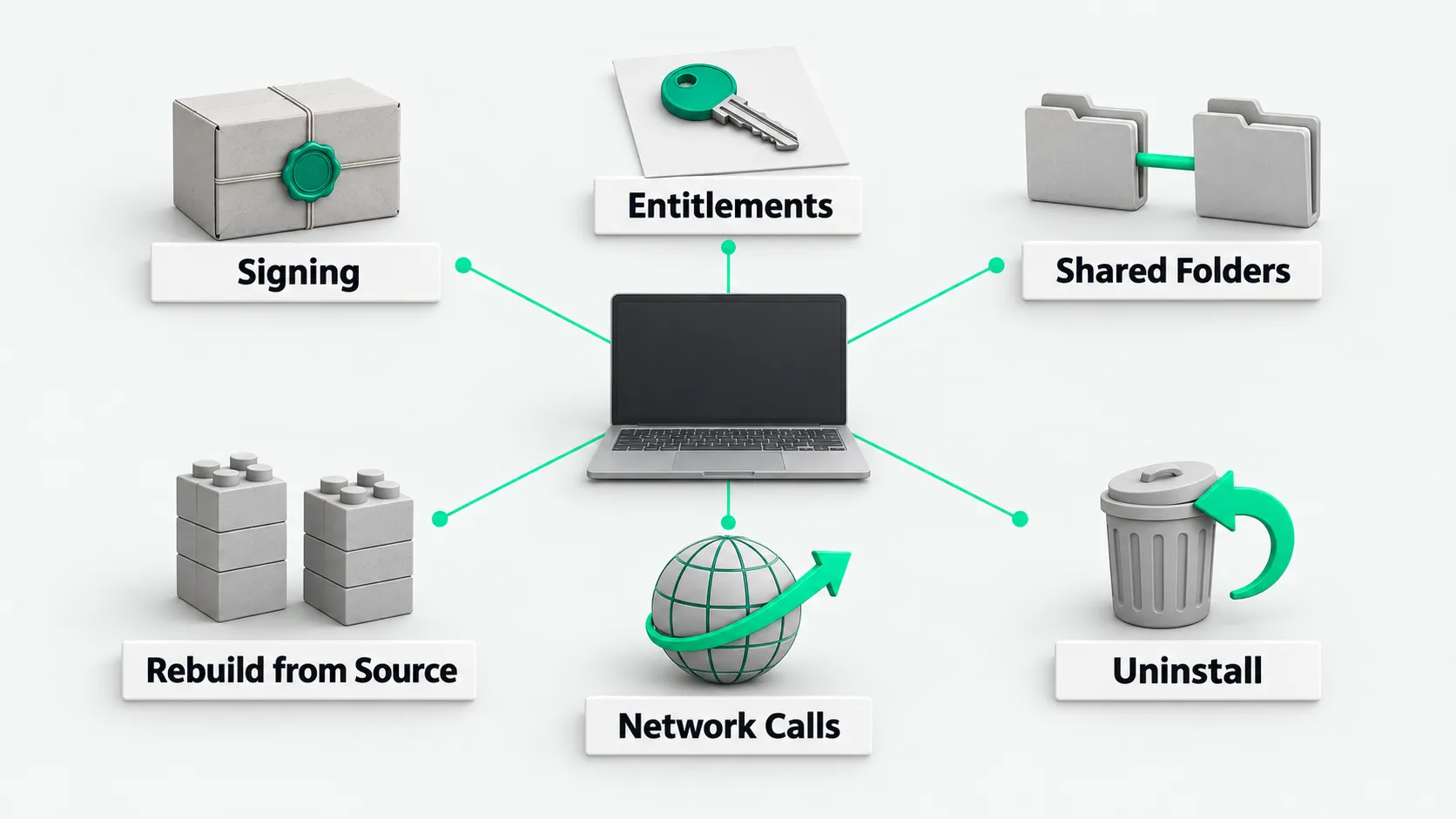
You can run Android apps on a Mac with Mac.apk. It needs macOS 26.4 or later and Apple Silicon, and it has no sandbox. Before approving it, check 6 items: signing and notarization, entitlements, shared folders, rebuild from source, network calls and reporting, and uninstall and rollback. This note also gives our reasons for not installing it and the conditions for a trial.
Running Android apps on a Mac is possible now with tools such as kksimp/Mac.apk. It needs macOS 26.4 or later and an Apple Silicon chip. Intel is not supported. When employees want to install a new tool like this, with no sandbox, on a work computer, company IT should check 6 items first. On October 26, 2026, we did a read-only review of Mac.apk. We did not install it or run it.
Background: the author is an individual developer, Kaleb Simpson / Voltare. The license is AGPL-3.0, with a paid commercial license also offered. The README calls it Alpha. In its own words: “Alpha. Mac.apk is early software under active development.” The first public release, v1.0.1666, came out on October 2, 2026. We reviewed v1.0.2303, released on October 22, 2026.
It is a compatibility layer similar to Wine, not a virtual machine. Android DEX code is converted to Java bytecode and runs on a bundled OpenJDK. The Android framework is rewritten to match AOSP behavior. arm64 native libraries run directly on the CPU, and 32-bit ARM is first recompiled to arm64. The source does not call Hypervisor.framework or Virtualization.framework. It depends on the custom-x18-abi-toggle entitlement added in macOS 26.4. It does not need SIP turned off, needs no root or admin password, and installs no kernel extension or system extension. Each APK becomes a separate Mac app, placed in /Applications, or in ~/Applications without permission.
Compatibility data comes only from the author’s own manual tests. In COMPATIBILITY.md the author writes “tested by hand on a Mac. Updated 2026-10-20.” The result, verbatim: “71 apps tested: ✅ 58 work · ⚠️ 10 partly work · ❌ 3 don’t work yet”.
1. Signing and notarization
Signing and notarization answer who shipped the package and whether Apple scanned it. Fill this in on row 1 of the software approval form.
What to check: the signing certificate of the DMG and the main app, Apple notarization status, the official hash, and how the tool signs the app it generates for each APK.
How to check: codesign -dv shows signing details. spctl -a -t open and xcrun stapler validate check the notarization ticket. codesign --verify --deep --strict checks the .app. shasum -a 256 checks the officially published DMG hash.
What we found for Mac.apk:
- The official DMG is signed with Developer ID Application: Kaleb Simpson (2G75R49XQL), notarized by Apple, and has the notarization ticket stapled. The main
.apphas hardened runtime enabled and is arm64 only. - The release notes give the DMG’s SHA-256. We checked it with
shasum -a 256and it matched. - Signing and notarization only show that the package came from this developer account and Apple scanned it. They do not show that it matches the public source.
- The app it generates for each APK is ad-hoc signed. The source files
launcher/BundleGenerator.swiftandlauncher/InstallCore.swiftshow that generation removes thecom.apple.quarantineattribute, so these apps no longer go through Gatekeeper’s download check.
2. Entitlements
This item covers which privileges the tool asks the system for and which system protections it relaxes.
What to check: the entitlements the main app declares, the privacy usage descriptions in Info.plist, and whether there are kernel extensions, system extensions, or resident processes.
How to check: read the entitlements with codesign -d --entitlements - and compare them with the file in the repository source. Look at Info.plist with plutil -p. Search the source and binaries for extension, launchd, and sudo calls.
What we found for Mac.apk:
- The main app declares 7 entitlements, matching
runtime/scripts/jit-entitlements.plistin the repository:cs.allow-jit,cs.allow-unsigned-executable-memory,cs.disable-library-validation,custom-x18-abi-toggle,device.audio-input,device.camera,personal-information.location. - The first 3 relax hardened runtime protections for JIT and library validation. They are used to load ANGLE, MoltenVK, the JVM, and the apps’ own JIT.
- Info.plist declares usage descriptions for camera, microphone, location, photos, and Bluetooth. Before reading Documents, Downloads, or Photos, macOS shows a prompt for each.
- The official README states that an Android app’s native code runs with the current macOS user’s permissions. There is no app sandbox like on a phone, and it can read and write your files like any Mac program. The README asks you to install APKs only from trusted sources. Android permissions only govern Java code.
- We found no
.kext,.systemextension,.dext, or launchd configuration in the package. Searching the source and binaries for extension, launchd, and sudo calls found no matches. No match in a search is not a line-by-line audit. We did not do a full code audit.
3. Folders shared by default
This item covers whether Android apps can touch an employee’s work files on the machine directly.
What to check: which directories are shared between Android apps and the Mac, whether sharing is on or off by default, and where the tool writes its own data.
How to check: read the files and privacy page in the official Wiki and compare it with the paths in the source.
What we found for Mac.apk:
- The official Wiki page Files and Privacy states that Pictures, Movies, Music, Download, and Documents inside apps map by default to the real
~/Pictures,~/Movies,~/Music,~/Downloads, and~/Documentson the Mac. - You can turn off “Use my Mac’s Downloads, Documents, Pictures, Movies and Music” in settings.
- Apps with native code can read these shared folders directly, without an Android permission prompt.
- Paths Mac.apk writes to itself:
~/Library/Application Support/Mac.apk,~/Library/Application Support/MacApk,MacApk/macapk/Mac.apkunder~/Library/Caches, and~/Library/Logs/macapk.
For file read and write boundaries for coding Agents, see Local Agent Sandboxes: Which Directories Can It Read and Write?.
4. Can the package be rebuilt from source
This item covers whether the released installer is built from the public source.
What to check: whether the official DMG can be built from the public repository, whether CI builds it automatically, and whether it contains files from outside the repository or prebuilt dependencies.
How to check: look at the configuration in the repository’s .github/workflows/, compare the release package with the repository’s files, and read the repository’s BUILDING.md.
What we found for Mac.apk:
- The repository has no CI for building releases.
.github/workflows/only hascla.yml, which collects contributor agreements. The official DMG is built, signed, and notarized byscripts/release.shon the author’s own machine. - The release package contains
Contents/lib/pairip-refs/, 29 files that are not in the repository.BUILDING.mdstates that these data files are not public. We found no public description of what they do. - Prebuilt ANGLE, MoltenVK, and Skia libraries are committed to the repository.
- Building from source needs 3 extra Homebrew packages:
openjdk@21,capstone, andapktool. We did not build from source. Conclusion: the official binary cannot currently be fully rebuilt from the public source.
5. Network calls and data reporting
This item covers which servers the tool connects to and what it sends. We only read the source and searched the binaries for strings. We did not run it or capture traffic. There is no measured data for this item.
What to check: version checks, device parameter reporting, telemetry and crash reporting, and each app’s own network access.
How to check: search the source and binaries for network addresses and endpoints, and see how telemetry components are handled. With a test machine, run it and capture its outbound connections once.
What we found for Mac.apk:
- Each time the control panel opens, it makes one anonymous request to
api.github.comfor the latest version. It does not update automatically. - When Google sign-in, Play license checks, or push registration are used, it connects to Google’s checkin, auth, push, and license endpoints. Checkin reports the brand and model as “Mac.apk”, with SDK, ABI, and screen parameters. The MAC address is a random fixed value, not the real hardware address.
- We found no usage statistics or crash reporting of Mac.apk’s own. The Firebase Crashlytics and Microsoft 1DS telemetry built into apps are replaced with no-ops.
- Each app still connects to the network as usual. Mac.apk does not block it.
- All of the above comes from the code. Actual outbound traffic needs a run on a test machine with a connection capture, to confirm it matches the code. We did not do this step.
6. Uninstall and rollback
This item covers whether the computer can be restored to a clean state after a trial. We did not install it, so this item comes from the official docs and source paths. We did not test an uninstall.
What to check: the uninstall entry point, leftover paths on the machine, how to revoke privacy grants, and how to change default file associations back.
How to check: read the app management page in the official Wiki and the README, and compare them with the write paths listed in item 3.
What we found for Mac.apk:
- Official Wiki page Managing Apps: in the Mac.apk window, right-click the app and choose Uninstall. Mac.apk first saves the app’s save data elsewhere, then moves the app and its other data folders to the Trash. To delete the save data too, tick the box in the confirmation dialog.
- The official README states that if you drag the app straight to the Trash, data stays in
~/Library/Application Support/MacApk. - Paths to clear:
Mac.apk.appitself, the Application Support, Caches, and Logs directories listed in item 3, and each generated<App name>.app. - Privacy permissions you granted, such as camera, microphone, and location, have to be revoked by hand in System Settings → Privacy & Security.
- If you clicked Make Default, the default app for
.apkand other files is changed to Mac.apk. Change it back in Finder under Get Info → Open with.
Conclusion: why we chose not to install, and when a trial is acceptable
After the review on October 26, 2026, we decided not to install it. There are 6 reasons:
- There is no sandbox. Native code runs with the employee account’s permissions.
- It shares the Mac’s real personal folders by default.
- The official binary cannot be rebuilt from the public source, and it ships 29 non-public data files.
- It relaxes JIT and library validation protections.
- The project is Alpha, maintained by one person, and less than 1 month has passed since the first public release.
- Its network behavior has not been measured.
For a trial, meet these conditions first:
- Use a dedicated test Mac, or a separate macOS user account, with no real work data or sign-in credentials.
- Check the SHA-256 in the release notes and the signing and notarization first.
- Turn off the setting that shares the Mac’s personal folders first.
- Do not sign in to a Google account.
- Install only open-source apps marked as working in the compatibility list, such as ones from F-Droid.
- Do not click Make Default.
- Deny every camera, microphone, location, and photos permission.
- Before installing, write down the paths item 6 says to clear, and roll back from that list after the trial.
- During the trial, capture outbound connections once to add measured data for item 5.
For software approval, turn these 6 items into a form that employees fill in item by item when they ask to install a new tool.
Android apps on a Mac: FAQ
Is Mac.apk a virtual machine?
No. It is a compatibility layer similar to Wine. DEX code is converted to Java bytecode and runs on a bundled OpenJDK, and arm64 native libraries run directly on the CPU. The source does not call macOS’s Hypervisor.framework or Virtualization.framework.
It is signed and notarized. Is it safe to install?
That item alone is not enough. Signing and notarization only prove that the package came from this developer account and went through Apple’s scan. They do not prove that it matches the public source. The app Mac.apk generates for each APK is ad-hoc signed, with the quarantine attribute removed, so it no longer goes through Gatekeeper’s download check.
Which permissions should software approval look at first?
First, the 3 entitlements that relax protections: allow JIT, allow unsigned executable memory, and disable library validation. Next, the privacy declarations such as camera, microphone, and location, and whether the Mac’s personal folders are shared with Android apps by default. Last, whether it has a sandbox. If native code runs with the current user’s permissions, assess it as a program that can read and write all of the employee’s files.