
AI Safety
Local Agent Sandboxes: Which Directories Can It Read and Write?
Developers who run coding agents locally rely on a local agent sandbox to limit file system access. Write access defaults to the project directory and temp paths. Read access is broader, so credential files need a separate block. Outbound requests pass through a domain allowlist. Before rollout, verify the isolation by running a command the sandbox should block.

According to a Google Cloud blog post published on October 22, 2026, Google announced Agent Compute Engine. It gives each agent a hardware-isolated virtual machine with its own kernel. Credentials are injected from outside the VM, and a preview is expected in the coming months. The cloud handles isolation at the infrastructure layer. When developers run coding agents on their own computers, they rely on a local agent sandbox to set what the agent can read and where it can write. Writes default to the project and temp directories only. Reads default to broad access, so credentials need a separate block. The network has no direct outbound route by default. The sandbox only constrains the processes it wraps.
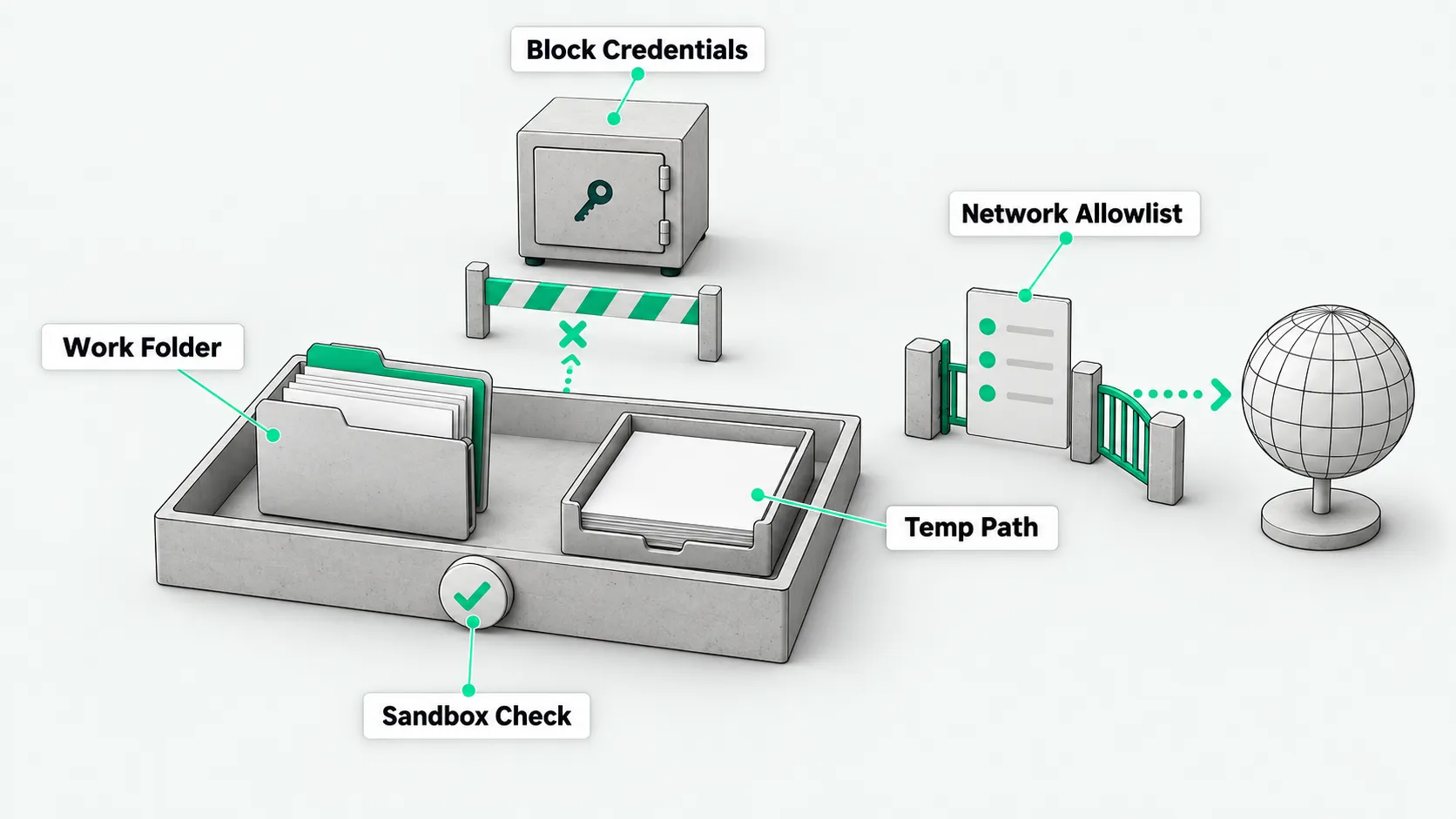
Write access covers only the project and temp directories
According to the Claude Code sandboxing docs, the Claude Code Bash sandbox is off by default. Once enabled, writable paths are limited to the current working directory, the per-user temp directory, and directories added explicitly. On macOS it enforces this with Seatbelt. On Linux and WSL2 it uses bubblewrap.
Even inside the project directory, writes to configuration files such as .bashrc, .zshrc, .gitconfig, .git/hooks, and .vscode are denied. According to the Codex sandboxing docs, Codex offers three modes. read-only can only view files, and changes and commands need human approval. workspace-write can read files and make changes inside the workspace. danger-full-access removes the boundary. When work spans several directories, use writable_roots to add writable paths instead of turning the sandbox off.
Read access is broad by default, so credentials need a separate block
By default, sandboxed processes can read most ordinary directories on the machine, including credentials under the home directory such as ~/.ssh and ~/.aws/credentials. If the agent runs a third-party script, local credentials are at risk of being read.
To control sensitive directories, enable a denyRead rule or the credentials setting in the configuration and add key paths to the deny-read list. Companies opening up model-driven coding should do it in stages. For the path, see Agent Permission Management: How to Set Tool Access Levels and What to Grant First. First make sure read-only and limited writes are under control, then open system-level execution step by step.
Network limits and execution blind spots outside the sandbox
Inside the sandbox there is no direct route to the public internet. Outbound requests go through a local proxy and pass only for allowed domains, and the allowlist starts empty. For a domain not on the list, the agent either asks for confirmation or refuses, depending on the current permission mode.
The sandbox wraps only shell commands. Claude’s built-in file tools, MCP servers, and hooks run outside it. The official docs state that the sandbox lowers risk but is not a complete isolation boundary. The mechanism is built on the open-source sandbox-runtime repository, which is labeled Beta Research Preview. For what to check on connected MCP servers, see MCP Security Risks: Which 4 Items Should You Review Before Connecting?. If an MCP server has uncontrolled read and write access, a command-line sandbox alone cannot stop data leaks.
Run a command that should be denied before real use
To check that the policy works, have the tool run touch ~/sandbox-probe in the terminal, which tries to create a file in the home directory. Having the program attempt an out-of-bounds action directly is more reliable than checking the configuration by hand.
On macOS, when Seatbelt is working, the terminal returns Operation not permitted and no new file appears in the home directory. If the test creates the file, the sandbox did not start correctly or the configuration has a hole. In that case, run /sandbox first to see whether the sandbox is on and its dependencies are installed. Fix the problem before connecting the agent to development repositories.
Local agent sandboxes: FAQ
Does read-only access stop code from being changed?
In Codex read-only mode, editing files and running commands both need human approval first, which blocks unapproved changes. Changes made after approval are outside what this mode blocks. This mode suits code audits and architecture reviews, where you want to keep the tool from changing local files on its own.
Why can’t some hidden config files be changed even in a writable directory?
Even when the workspace is writable, the sandbox still protects key configuration. Files such as .git/hooks, .zshrc, and .vscode directly control the terminal environment and the commit process. Tampering with them can cause unexpected execution. The sandbox locks these files with a built-in deny-write list so the development environment stays clean.
Where should a team set shared file read and write boundaries?
Put them in managed settings that the company distributes centrally. Through managed settings the company can force the sandbox on, set allowUnsandboxedCommands: false so developers cannot retry commands outside the sandbox, and use failIfUnavailable to stop tasks when the sandbox fails. This way every machine has the same boundary, and nobody depends on individual setup.