
AI Safety
Do Grok Bots Share Files? Isolating Bots on One Cloud Computer
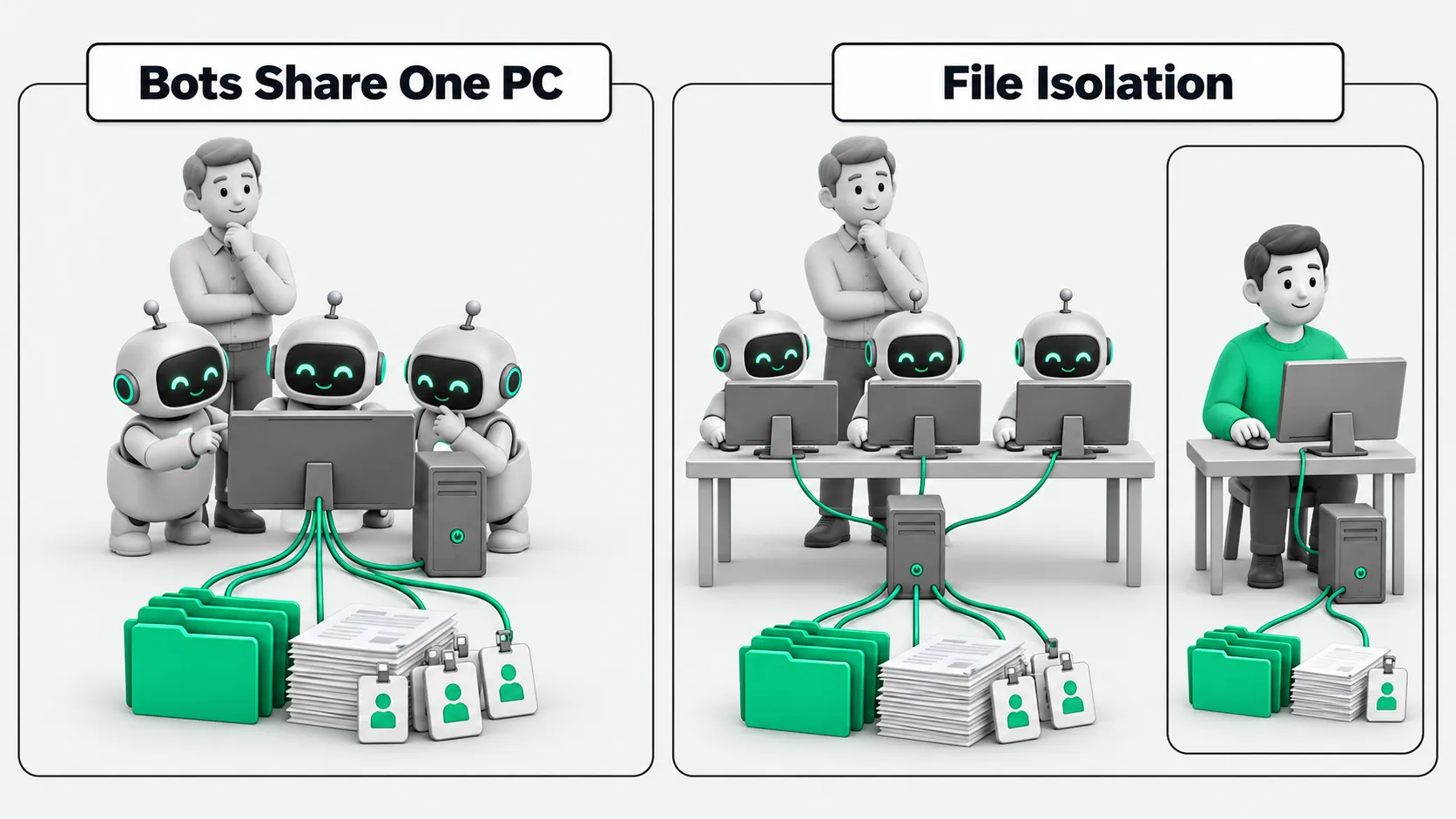
All Grok Bots on one Cursor account share one cloud computer, files and logins included. Each Bot's screen is a work surface, not a security boundary.

All Bots under one Cursor account share one cloud computer. Files on that machine are shared, and so are login sessions. Each Bot has its own desktop (screen). The screen is a work surface. It is not a security boundary. Running several Bots works for splitting roles. It does not isolate files or credentials by permission.
For what Grok Bot is and how it differs from a chat window, see What Is Grok Bot? An AI Agent Guide to Persistent Teammates and Grok Bot vs ChatGPT: A Cloud Teammate or Another Chat Window?. For who gets access and what to audit when a company turns it on, see Rolling Out Grok Bot at Work? Settle Access and Audit Settings First.
Two layers of isolation
| Boundary | What the docs say | What it means in practice |
|---|---|---|
| User to user | One Firecracker microVM per user, hardware-level isolation | You cannot get into a coworker’s cloud computer |
| Bots under the same user | One shared computer; personas and workspaces are separated, compute is not | Files, browser sessions, and command-line credentials are visible to every Bot |
The computer belongs to the account, not to any single Bot. The official overview states: All of your Bots use the same cloud computer. Anything you put on the machine is available to every Bot under your name by default.
Separate screens, shared files
Each Bot has its own desktop, which the docs call a screen. Several Bots can run browser and desktop actions in parallel. At any moment, each Bot runs one computer-use task on its own screen.
The official Work page puts it plainly: screens are work surfaces, not security boundaries. Being able to see separate desktops does not mean files and logins are split per Bot.
The shared workspace is /workspace. Keep persistent project files there. Treat temp directories and uncommitted state as disposable. A file one Bot writes can be picked up by another Bot. That is why handoffs need less setup. It is also why sensitive files should not pile up on the machine.
Deleting a Bot does not clean the machine
Deleting a Bot removes its configuration, conversations, and Routines. Files on the machine and website logins stay. You have to clean them up yourself.
Connectors (plugins) are account-level. Once installed, every Bot under your name can use them. OAuth tokens stay in Cursor’s connector backend and are not written to the cloud computer’s disk. Website sessions you logged into yourself in the browser do stay on the shared computer, and every Bot can reach them.
For the security checks to run before connecting a third-party MCP server, see MCP Security Risks: Which 4 Items Should You Review Before Connecting?.
How to manage it
Based on the official Teams and security FAQ guidance:
- Multiple Bots split roles. They do not isolate permissions. Research, drafting, and issue reproduction can go to different Bots. Do not assume they cannot see each other’s files.
- Delete sensitive temporary files after use. This applies most to exported spreadsheets, key material, and customer lists.
- Log out of sites you no longer need. Clear sessions when the task ends.
- Do not paste credentials into ordinary chat. Supported connections use the secure secret request. Passwords and one-time codes stay out of the conversation.
- If a job needs its own computer and credential set, give that work a separate Cursor user. Multiple Bots on one account cannot get one computer each.
Enterprise network policy, mandatory approvals, and audit scope are out of scope here. See Rolling Out Grok Bot at Work? Settle Access and Audit Settings First.
Bots on a shared cloud computer: FAQ
If I run more Bots, are their files separated automatically?
No. All Bots under one user share one cloud computer. Files, browser sessions, and command-line credentials are shared. What Bots keep separate is their conversations, memory, and desktops. The file system is shared.
Each Bot has its own desktop. How does that relate to the shared computer?
Screens let several Bots operate interfaces in parallel. The docs call a screen a work surface, not a security boundary. Files on the machine are still shared. Bots that click through web pages on their own screens can still see each other’s files in /workspace.
How do I isolate files under one account?
One account cannot split the file system per Bot. Keep sensitive files off the shared computer for the long term. Delete them after use. Log out of websites after use. When a job needs its own computer and credential set, open a separate Cursor user. For how to split roles and lock approvals, see What Is Grok Bot? An AI Agent Guide to Persistent Teammates.
Sources
- Grok Bot (Your Bots share one computer)
- Work with Grok Bot (screen ≠ security boundary;
/workspace; deleting a Bot) - Grok Bot for Teams and Enterprise (How users are isolated)
- Grok Bot security
- Grok Bot security FAQ